
How to Avoid the Spam Folder: Deliverability Guide
To avoid spam folder placement, you must understand how email providers filter messages. Emails land in spam due to poor email reputation, behavioral triggers, and low user engagement. Mastering spam prevention requires a structured approach rather than random guesswork.
By implementing deliverability best practices, you can avoid the spam folder and ensure your messages consistently reach the primary inbox. Monitoring your domain metrics and sender habits is key to guaranteeing high inbox placement.
Why Emails Go to the Spam Folder (Understanding the Root Cause)
Before fixing the issue, it is essential to understand how email providers evaluate your emails. Spam filtering relies on behavior and trust signals to protect users. Look at these primary factors that determine where your messages land:
- Your sender reputation: This is what email providers think of you. A good reputation means they trust you.
- Subscriber engagement: High open and click rates tell providers that people want to read your emails.
- Spam complaints: If too many people mark your emails as spam, it hurts your reputation.
- Authentication problems: If your emails aren’t set up correctly, they can be blocked before they even have a chance to reach the inbox.
To avoid the spam folder, it’s crucial to understand that spam filtering is behavior-based, not just keyword-based. Email providers monitor how subscribers interact with your messages over time to determine if your content is wanted.
The 5 Core Spam Triggers That Damage Your Email Deliverability
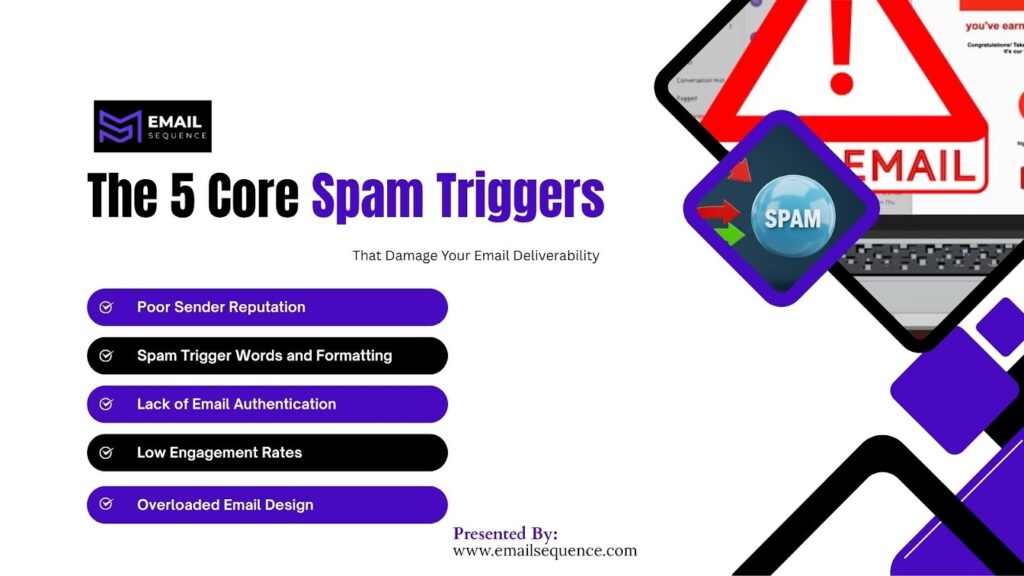
Most emails land in spam due to a combination of technical and behavioral triggers. Email algorithms detect specific patterns that ruin your email reputation. Pay attention to these common issues that hurt your campaigns.
Poor Sender Reputation
Your sender reputation acts like a credit score for your email domain. Email providers punish senders who show erratic behavior. Watch out for these specific reputation killers:
- Inconsistent sending volumes confuse internet service providers.
- High bounce rates indicate outdated or scraped contact data.
Spam Trigger Words and Formatting
Providers scan your content for manipulative tactics. Aggressive formatting makes your messages look suspicious. Avoid these major formatting mistakes:
- Aggressive sales language triggers automatic spam filters.
- Excessive punctuation and all-caps text look unprofessional.
Lack of Email Authentication
Servers reject messages from unverified senders to stop phishing attacks. Proper setup proves you are a legitimate business. Missing these protocols guarantees delivery failure:
- Missing SPF records allow unauthorized IP addresses to send emails.
- Missing DKIM and DMARC policies destroy domain trust.
Low Engagement Rates
Providers route ignored emails directly to the junk folder. Low interaction tells algorithms your content lacks value. Monitor these critical engagement signs:
- Low open rates signal that subscribers do not care about your content.
- Inactive subscribers drag down your overall domain metrics.
Overloaded Email Design
Heavy emails take too long to load and trigger security warnings. Simple designs always perform better in primary inboxes. Avoid these design errors:
- Too many links make your message look like a scam.
- Heavy images without adequate text hide your actual message.
How to Avoid the Spam Folder: A Step-by-Step Deliverability System
To avoid the spam folder, you need a structured system, not just a few isolated tactics. A proven workflow guarantees optimal results for your marketing efforts and helps you secure a spot in the primary inbox. Follow these crucial steps.
Step 1: Build and Maintain a Clean Email List
A healthy email list is the foundation of high deliverability. Keeping unengaged users hurts your active subscribers. Implement these list hygiene practices:
- Remove inactive users who do not open emails for six months.
- Avoid purchased lists because they generate immediate spam complaints.
Step 2: Authenticate Your Email Domain
Authentication serves as your digital passport. It tells receiving servers that you are who you claim to be. Complete these technical setups:
- Set up SPF to list authorized sending servers.
- Implement DKIM and DMARC to prevent domain spoofing.
Step 3: Warm Up Your Domain Properly
New domains cannot send thousands of emails immediately. Providers block sudden spikes in email volume. Use this careful approach to build trust:
- Increase your sending volume gradually over four weeks.
- Maintain a consistent schedule to establish predictable behavior.
Step 4: Optimize Email Content for Inbox Placement
Content optimization goes beyond removing obvious spam words. The structure of your message matters heavily to spam algorithms. Apply these content rules:
- Write using natural language that provides actual value.
- Maintain a balanced text-to-image ratio for smooth rendering.
Step 5: Improve Engagement Signals
High engagement forces email providers to place your messages in the primary inbox. Subscribers love emails tailored to their specific needs. Use these engagement tactics:
- Send personalized emails that reference specific user data.
- Use segmentation to send highly relevant content to smaller groups.
Advanced Deliverability Best Practices Most Marketers Ignore
Beyond basics, advanced strategies significantly improve inbox placement. Top marketers use these methods to dominate the inbox and outperform competitors. Consider these advanced tactics to elevate your results:
- Use send-time optimization to reach users when they are active.
- Apply behavioral segmentation based on past purchase history.
- Launch re-engagement campaigns to win back fading subscribers.
- Monitor feedback loops to process complaints automatically.
How Email Reputation Impacts Inbox Placement
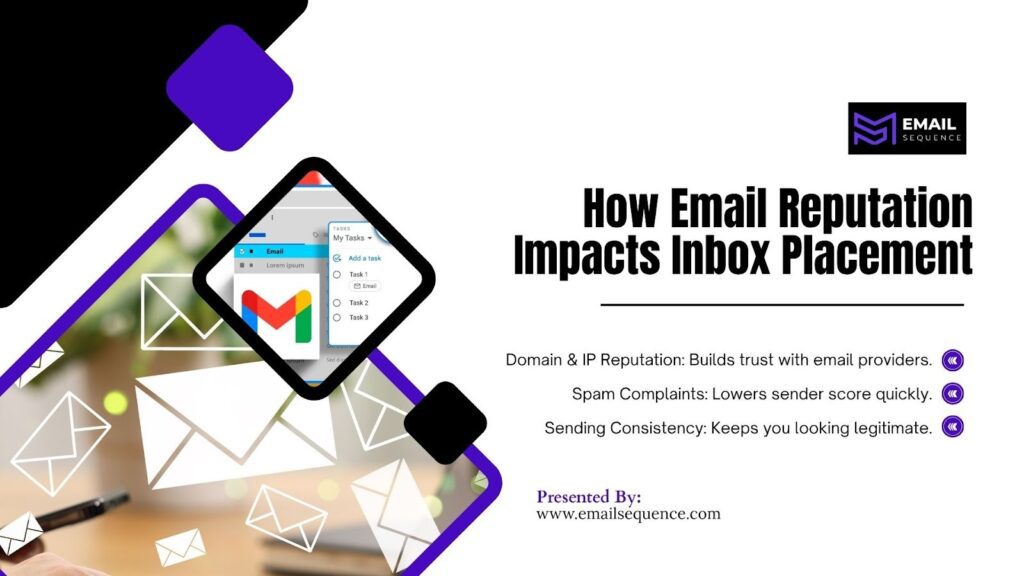
Your email reputation acts as a trust score that determines whether your emails reach the inbox. Providers constantly monitor your sending habits to protect their users. Watch these crucial reputation factors closely:
- Domain and IP Reputation: Your domain reputation is tied to your brand’s name, while your IP reputation is linked to your server. Both are critical for building trust with email providers.
- Spam Complaints: Even a small number of spam complaints can drastically lower your sender score, signaling to providers that your content is unwanted.
- Sending Consistency: Maintaining a regular and predictable sending schedule demonstrates that you are a legitimate business, not a spammer, which helps solidify your reputation over time.
How Better Deliverability Improves Your Email Marketing ROI
High inbox placement directly affects your campaign performance and revenue. More visibility translates to higher profits and stronger brand loyalty. Notice these positive outcomes when you optimize your sending:
- Increased Visibility: Higher open rates mean more people see your promotions and offers.
- Boosted Conversions: When your messages reach engaged users, you’re more likely to see an increase in sales and sign-ups.
- Stronger Relationships: Better engagement helps build a loyal customer base that champions your brand.
Final Thoughts
You now have the knowledge to effectively avoid the spam folder. Email providers reward marketers who respect user preferences and follow technical guidelines. By focusing on true spam prevention and monitoring your metrics, you protect your sender’s credibility.
Applying these deliverability best practices ensures your audience sees your valuable content. Take action today to protect your email reputation and watch your engagement metrics climb.
Ready to conquer the inbox? Visit emailsequcle.com and transform your deliverability strategy today
Frequently Asked Questions
Why do my emails go to the spam folder?
Emails typically go to spam due to poor sender reputation, low engagement, missing authentication, or spam-triggering content. Email providers evaluate multiple signals, including user behavior and trust factors, before deciding inbox placement.
How can I avoid the spam folder in email marketing?
To avoid the spam folder, focus on building a clean email list, authenticating your domain, improving engagement rates, and removing spam triggers from your content. Taking a structured approach to these factors is the best way to ensure better deliverability and consistent inbox placement.
What are common spam triggers in emails?
Common spam triggers include excessive promotional language, too many links, poor formatting, and sending emails to inactive users. These signals reduce trust and increase the likelihood of emails being filtered as spam.
Does email authentication improve deliverability?
Yes, email authentication (SPF, DKIM, DMARC) verifies your identity and builds trust with email providers. Proper authentication significantly improves your chances of reaching the inbox.
How long does it take to improve email deliverability?
Improving deliverability can take a few weeks, depending on your current reputation and strategy. Consistent optimization, list hygiene, and engagement improvements gradually enhance inbox placement.
