Transactional Email Design: A Guide to Building Trust
Transactional email design focuses on clarity, speed, trust, and action. Strong order confirmations, password resets, notification emails, and other automated messages should show the most important information first, use a simple layout, include one clear action, and work well on mobile.
Unlike promotional emails, transactional emails need functional design that helps users confirm, recover, verify, track, or complete something without confusion, clutter, or unnecessary marketing distractions.
What Is Transactional Email Design?
Transactional email design is the process of structuring automated customer emails so users can quickly understand an action, confirm details, and complete the next step.
These emails are triggered by user actions, account activity, or system events. The design covers the subject line, message hierarchy, dynamic data, the call to action, layout, mobile readability, accessibility, security cues, and support information. Every part should help the user finish a task.
Transactional Emails vs Marketing Emails
People mix up these two email types often, but they serve different goals. Knowing the difference protects both your message and your deliverability.
- Purpose: Transactional emails support a user action. Marketing emails promote a product, offer, or campaign.
- Priority: Transactional emails should prioritize function. Marketing content should never distract from the main task.
- Timing: Speed and reliable delivery matter far more for transactional messages, since users wait for them in real time.
Postmark separates promotional and transactional messages into different sending streams to protect the deliverability of critical transactional emails.
Common Types of Transactional Emails
Transactional emails cover more situations than most teams expect. Recognizing the full range helps you plan design templates for each one.
- Order confirmations that prove a purchase succeeded
- Password resets for account recovery
- Shipping updates with tracking details
- Payment receipts that confirm a charge
- Account verification emails
- Login alerts for security
- Subscription renewal notices
- Invoice emails
- Support ticket updates
- General notification emails
Why Functional Design Matters in Transactional Emails
Functional design means every element in the email has a job. The design should help the user understand what happened, which details matter, and what action comes next.
Effective transactional email design removes friction. A reader should never have to hunt for the main action or scroll past banners to find a tracking link. Strong transactional email design respects the user’s time and the reason they opened the message.
Use these goals as a starting point for any transactional template:
- Show the purpose immediately: State what happened in the first line.
- Put key details above the fold: Keep order numbers, links, and statuses visible without scrolling.
- Use one primary CTA: Give the user a single clear action.
- Keep the design clean: Remove anything that does not support the task.
- Write plain, specific copy: Skip jargon and vague phrases.
- Make it mobile-friendly: Many users open these emails on a phone.
- Provide support links: Offer help or account access for quick fixes.
- Use accurate dynamic data: Pull the correct name, order, and details every time.
What Users Expect From Transactional Emails
Users carry clear expectations into every transactional email. Meeting these expectations builds the trust that keeps customers loyal.
- Fast delivery so the email arrives within seconds
- A clear subject line that explains the event
- Correct information with no broken fields
- Secure links they can trust
- An easy next step with one obvious action
- Support access when something goes wrong
- Mobile readability on any device
The Core Layout for Every Transactional Email
A good transactional email design makes the message easy to scan in seconds. The reader should grasp the point before they finish the first line.
This table breaks down each section of a transactional email and how to handle it. Use it as a reusable structure for any automated message you build.
| Email Section | Purpose | Best Practice | Common Mistake | Priority Level |
| Subject line | Tells what happened | Be specific and action-based | Using vague or salesy wording | High |
| Preview text | Adds context | Explain the next step or key detail | Leaving it blank or generic | Medium |
| Brand header | Confirms sender identity | Keep it simple and recognizable | Overloading with graphics | Medium |
| Main message | States the event | Tell users what happened first | Burying it under greetings | High |
| Key details | Shows transaction data | Use readable blocks or tables | Hiding important numbers | High |
| CTA | Helps user act | Use one primary action | Adding too many buttons | High |
| Support link | Reduces confusion | Add help, account, or contact link | Omitting support entirely | Medium |
| Footer | Adds trust and compliance | Include company details and security notes | Skipping legal or security info | Low |
Keep the Main Message Above the Fold
The most important content belongs at the top. Users should not scroll to learn why they received the email.
- Show the email purpose in the first line
- Skip banners and long greetings before the message
- Place the action or confirmation first
- Add supporting details after the main point
Use One Primary CTA
One clear action keeps the user focused. Extra buttons split attention and slow people down.
- Password reset emails: One reset button
- Order emails: “View Order” or “Track Order”
- Notification emails: “Review Update”
- Avoid stacking multiple CTAs that compete for the same click
How to Design Order Confirmations
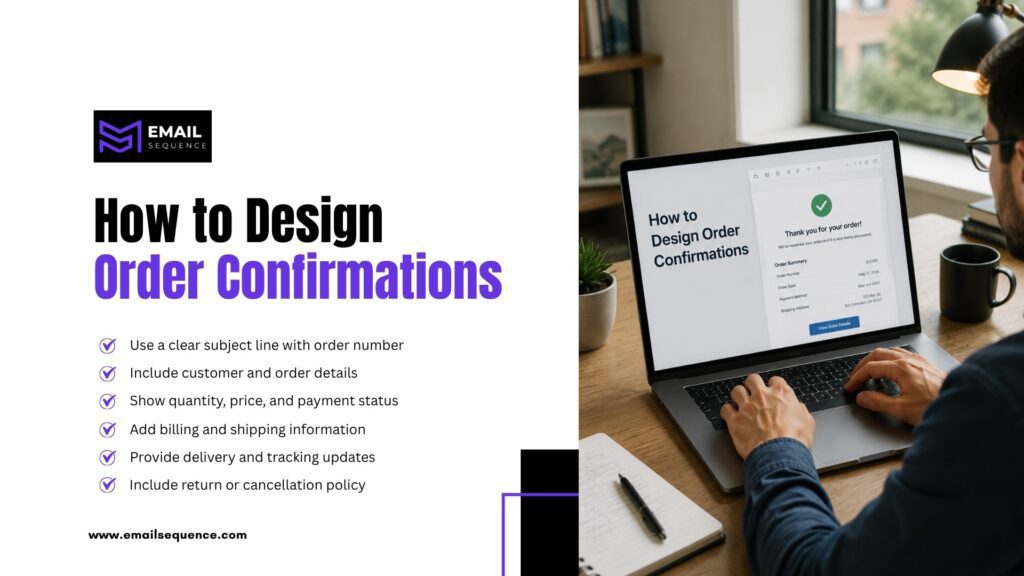
Order confirmations reduce buyer anxiety. They prove the purchase went through and give the customer the details they need.
Customers open these emails to check accuracy, price, delivery, and support details. Give them everything in a clean, scannable layout.
- Use a clear subject line with order number
- Include customer and order details
- Show quantity, price, and payment status
- Add billing and shipping information
- Provide delivery and tracking updates
- Include return or cancellation policy
- Add support link and order CTA
Order Confirmation Design Example
Here is a simple structure that keeps the key details front and center:
- Subject: Your order #45892 is confirmed
- Header: Brand logo
- Main message: Your order is confirmed.
- Key details: Order number, items purchased, total paid, shipping address, estimated delivery
- Primary CTA: View Order
- Support: Need help? Contact support
Order Confirmation Mistakes to Avoid
Small errors in order emails create big support headaches. Watch for these common slips.
- Hiding the order number where buyers cannot find it
- Using too many upsells that bury the confirmation
- Missing delivery details customers expect to see
- Not showing payment status to confirm the charge
- Using unclear support links that fail at the worst moment
- Forgetting mobile layout when most buyers shop on phones
How to Design Password Reset Emails
Password resets need speed, trust, and security. Users often feel frustrated or worried when they request one, so the email must work fast.
Keep the message short and focused on one job: getting the person back into their account.
- Clear subject line and a short message
- One reset button with the link expiration time
- A security note and a “ignore this email if you did not request it” line
- Support link and a plain fallback link if the button fails
How to Design Notification Emails
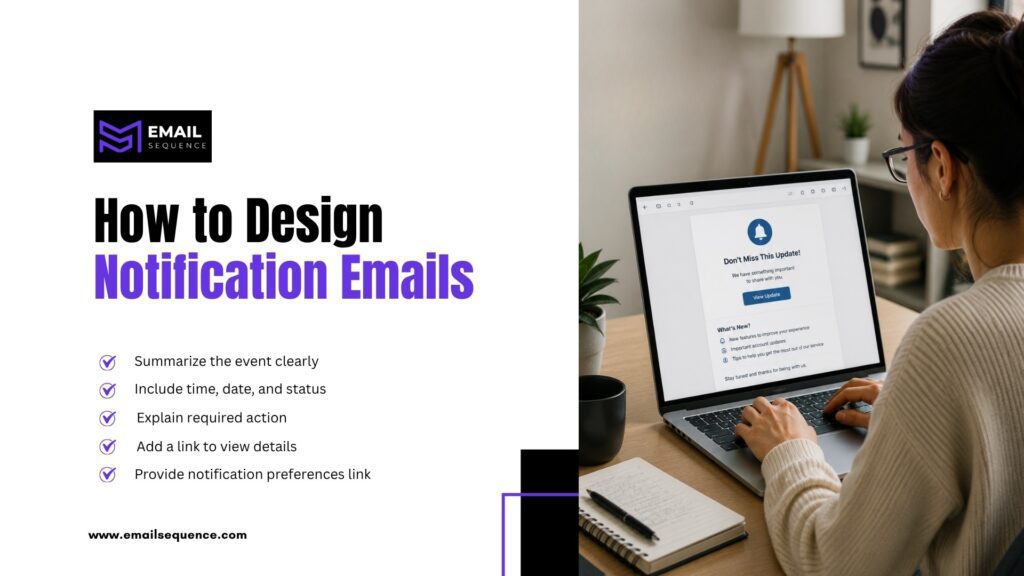
Notification emails should alert users without overwhelming them. They work well for account activity, comments, approvals, payments, subscription changes, security alerts, or workflow updates.
A useful notification answers what happened and whether the user needs to act. Keep it tight and skip anything that does not serve that goal.
- Clear event summary and who or what triggered it
- Time or date and the current status
- Required action, if any
- Link to view details
- Notification preference link when relevant
Postmark recommends batching frequent notifications when possible, so users receive fewer emails instead of many messages in a short time.
How to Design Automated Messages at Scale
Automated messages need clean templates, accurate data, and strong fallback rules. A broken dynamic field can make a transactional email look careless.
While automation improves speed, it also increases risk, especially with transactional email design. A wrong trigger, missing data field, or messy template can reach thousands of users before anyone notices.
- Map every trigger so you know what sends each email
- Use clear template names for easy management
- Test dynamic fields before they go live
- Create fallback text for missing data
- Keep content modular for reuse
- Use consistent brand patterns across templates
- Separate transactional and marketing streams for deliverability
- Monitor bounces and delivery failures regularly
- Track support complaints to spot broken flows
- Review templates regularly as your product changes
Trigger Mapping for Transactional Emails
Trigger mapping prevents the wrong email from reaching the wrong person. Plan each trigger before you build the template.
- Define what action sends the email
- Decide who receives it
- Decide when it sends
- Confirm what data it pulls
- Define what happens if data is missing
Comparing Transactional Email Types Side by Side
Each transactional email type serves a different user goal, so your transactional email design priorities should shift with each one. This table helps you decide what to emphasize for each message and when to send it.
| Email Type | Main User Goal | Functional Design Priority | Best For | Expert Recommendation |
| Order confirmations | Confirm purchase details | Show order number, items, total, delivery, and support | Ecommerce and service purchases | Put purchase details above promotions |
| Password resets | Regain account access | One clear reset button with security note | SaaS, apps, memberships | Keep it short, fast, and secure |
| Notification emails | Understand an update | Show event, status, and action needed | Apps, platforms, teams | Batch low-priority alerts when possible |
| Payment receipts | Confirm payment | Show amount, date, invoice, and account details | Subscriptions and billing | Use clean tables and printable details |
| Account verification | Confirm identity | Use one verification CTA | SaaS and user accounts | Avoid extra links that distract |
| Shipping updates | Track delivery | Show status, tracking link, and delivery estimate | Ecommerce and logistics | Make tracking the primary CTA |
| Support ticket updates | Follow a request | Show ticket status and next step | Customer support teams | Include ticket ID and reply options |
Transactional Email Design Checklist
A final review catches problems before they reach your customers. Run through this checklist before you send any automated messages.
- Does the email have one clear purpose?
- Does the subject line explain the event?
- Does the first line tell users what happened?
- Is the main action easy to see?
- Are dynamic fields correct?
- Is there fallback text for missing data?
- Does the email work on mobile?
- Does it avoid unnecessary promotions?
- Does it include support information?
- Does it protect sensitive information?
- Does it use accessible fonts and contrast?
- Does it send from the correct stream?
- Has the team tested delivery and rendering?
How EmailSequence.com Can Help With Transactional Email Design
EmailSequence.com helps businesses design automated messages that feel clear, useful, and consistent with the customer journey. The focus stays on strategy, copy, automation, and customer experience.
Strong transactional emails take more than a template. They need the right triggers, accurate data, and copy that matches each moment in the journey.
- AI email campaigns built around real user actions
- Email automation and automated workflows
- Email sequence copywriting with functional email copy
- Performance tracking to measure results
- Customer journey mapping for every touchpoint
- CRM-based email triggers that fire at the right time
- Subscriber and customer engagement strategies
EmailSequence can help you design automated transactional email flows that reduce confusion, improve trust, and support a better customer experience after every order, reset, alert, or account action.
Key Takeaways
Transactional email design should prioritize clarity, action, speed, and trust. The best emails show the purpose first, use one clear action, and work on any device.
Each type has its own focus. Order confirmations should show purchase details clearly. Password resets should stay short, secure, and easy to use. Notification emails should explain the event and avoid inbox overload. Automated messages need accurate triggers and clean dynamic data.
Functional design matters more than decoration. When every element has a job, users act with confidence and reach for support far less often. EmailSequence can help brands design and automate transactional emails that support the full customer journey.
Frequently Asked Questions
What is transactional email design?
Transactional email design is the process of creating automated emails that help users confirm, verify, recover, track, or complete an action. It covers layout, subject line, message hierarchy, CTA buttons, dynamic data, mobile readability, security notes, and support links. Good design helps users understand what happened and what they need to do next without confusion.
What should order confirmations include?
Order confirmations should include the order number, customer name, purchased items, quantity, price, payment status, shipping address, delivery estimate, and a support link. The design should show the main purchase details first and use a clear CTA such as “View Order” or “Track Order.” Avoid pushing promotions above the information the customer expects to see.
How should password reset emails be designed?
Password resets should be short, secure, and action-focused. Include a clear subject line, one reset button, an expiration time, a security note, and a support link. Tell users to ignore the email if they did not request the reset. Avoid marketing banners, extra CTAs, or confusing links that distract from account recovery.
What makes notification emails useful?
Useful notification emails explain what happened, who or what triggered the event, when it happened, and whether the user needs to act. The design should include a clear summary, relevant details, and one link to view or manage the update. For frequent updates, batch low-priority notifications to avoid overwhelming the inbox.
Why is functional design important for automated messages?
Functional design matters because automated messages support important customer actions. A user may need to reset a password, verify an account, confirm payment, or track an order. If the email looks cluttered or hides the main action, it creates friction. Functional design keeps the message simple, useful, secure, and easy to act on.
Should transactional emails include marketing content?
Transactional emails should keep marketing content minimal, because users open them for a specific task or confirmation. A small related suggestion may work in some order emails, but it should never hide the main information. Password resets, security alerts, and account verification emails should avoid promotional content, since trust and speed matter most.