
16 Best Practices for Transactional Emails in 2025
Imagine this: You have just clicked ‘purchase’ or reset a forgotten password. What’s your very next move? You head straight to your inbox for that crucial confirmation. Many businesses view these transactional emails as merely a formality, a simple task to check off their list.
Yet, here’s the powerful truth: these are far more than just functional messages. They stand as your most potent communication channel, consistently achieving open rates above 80%.
The real question is not whether your emails work. It is whether you are using them strategically to build trust, reduce support costs, and drive long-term revenue.
In this comprehensive blog post, we will cover 16 best practices that transform transactional emails from functional messages into powerful automation assets. You will learn how to establish technical credibility, design for immediate clarity, and build post-purchase sequences that maximize Customer Lifetime Value (LTV).
What are Transactional Emails?
They are automated, one-to-one messages triggered by a specific action your user takes. When someone completes a purchase, resets their password, or verifies their account, your system sends them a transactional email in response.
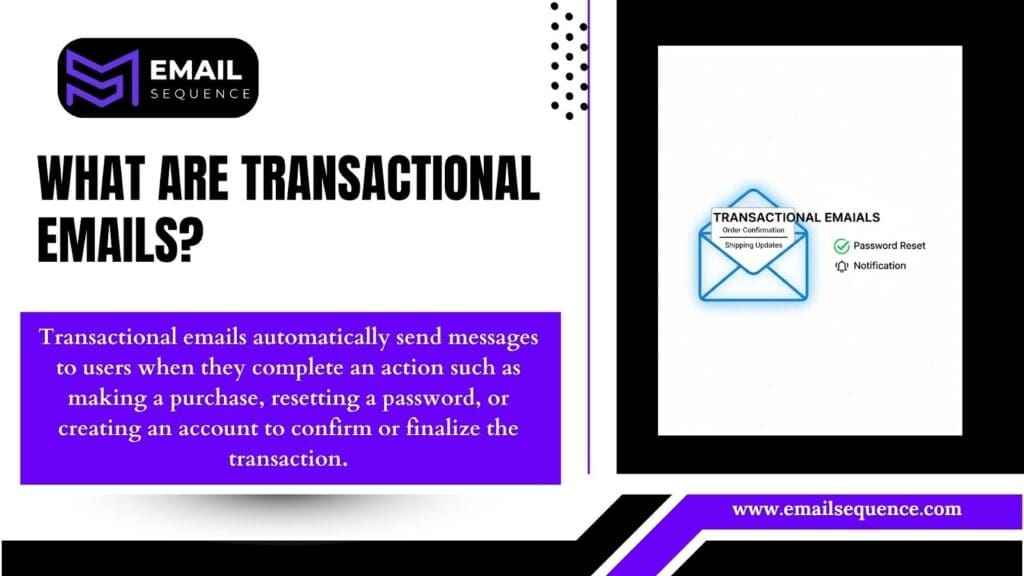
The legal distinction matters. Under the CAN-SPAM Act, a transactional email must have a primary purpose of facilitating an agreed-upon transaction. Marketing content can be included, but it cannot dominate the message.
Common examples include:
- Order confirmations
- Shipping and delivery alerts
- Password reset requests
- Account verification messages
- Payment receipts
- Welcome emails (after sign-up)
- Support ticket updates
- Abandoned cart reminders
- Feedback requests after a service or purchase
These emails serve a functional role, but their strategic value extends far beyond that.
Why are Transactional Emails Important?
They are your most crucial communication channel because they deliver dual strategic value.
- Trust and support. These messages provide immediate, expected information. Customers rely on them to confirm that their transactions have succeeded, track their orders, or regain access to their accounts. This reliability builds significant trust and dramatically reduces the volume of customer support inquiries.
- LTV and revenue. Because transactional emails have the highest engagement rates in your email program, they are the perfect starting point for an automated, post-purchase revenue sequence. A well-designed transactional email does not just confirm an action; it initiates a relationship that drives repeat purchases and referrals.
- Customer Satisfaction. By delivering timely and relevant information, transactional email fulfills customer expectations, reducing anxiety and fostering a positive brand experience.
- Brand Reputation. Professional and accurate transactional email reinforces your brand’s reliability and attention to detail, strengthening its image.
- Legal Compliance. In certain sectors or regions, specific transactional communications (like purchase receipts) are legally mandated.
What Happens if Customers Don’t Receive These Emails?
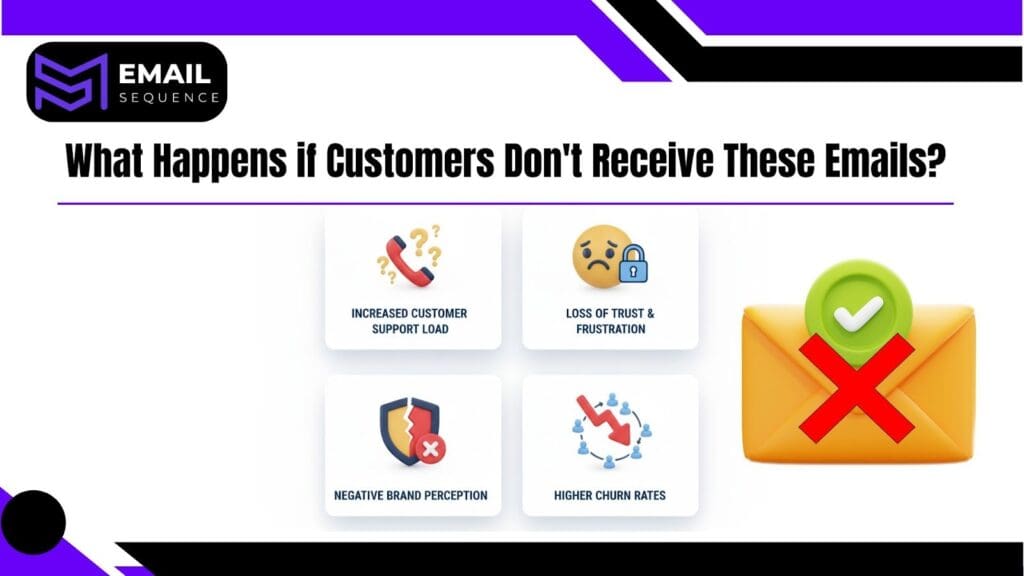
The absence of these crucial communications can lead to significant negative outcomes:
- Increased Customer Support Load. Customers will inundate your support channels with inquiries about missing orders, forgotten passwords, or account status.
- Loss of Trust & Frustration. Failing to deliver expected information erodes customer trust and generates significant frustration, potentially driving customers away.
- Negative Brand Perception. A lack of communication makes your brand appear unreliable, unprofessional, or incompetent.
- Higher Churn Rates. Customers are more likely to churn when they feel unsupported or uncertain about their interactions with your business.
Key Elements of Effective Transactional Emails
1. Architectural Trust and Deliverability
Before you write a single word of copy, you must build the technical foundation that ensures your emails actually reach the inbox. Without proper authentication and strategic infrastructure, even the best-designed transactional email will fail.
Authentication is Mandatory (Practice 1)
Implement SPF, DKIM, and DMARC to verify your domain and establish sender reputation. These protocols signal to inbox providers that your emails are legitimate and authorized to use your domain name.
Without authentication, your emails are far more likely to be flagged as spam or rejected entirely. This is non-negotiable for transactional email success.
Strategic Domain Separation (Practice 2)
Use separate subdomains for marketing and transactional traffic. For example, send marketing emails from “news.yourbrand.com” and emails from “receipts.yourbrand.com.”
This separation protects your critical transactional delivery from any reputation issues caused by marketing campaigns. If a promotional blast triggers spam complaints, your order confirmations remain unaffected.
How to implement:
- Create Subdomains: In your domain registrar (e.g., GoDaddy, Namecheap, Cloudflare), create new subdomains like news.yourbrand.com and receipts.yourbrand.com.
- Configure DNS Records: Set up the necessary DNS records (MX, CNAME, A records) for each subdomain, pointing them to your email service provider (ESP) for sending. Your ESP will provide specific instructions for this.
- Update ESP Settings: Within your ESP, configure your sending domains to use these newly created subdomains for their respective email types (e.g., use receipts.yourbrand.com for transactional emails, news.yourbrand.com for marketing.
- Authenticate Subdomains: Crucially, implement SPF, DKIM, and DMARC for each of these new subdomains to ensure proper authentication and maintain deliverability.
The 60/40 Rule (Practice 3)
Adhere to at least 60% text content and no more than 40% images or HTML elements. Heavy image content triggers spam filters and creates accessibility problems for users with images disabled. Text-heavy emails are easier to scan, faster to load, and far more reliable across email clients.
How to achieve the 60/40 ratio:
- Prioritize text: Design your email content first, focusing on clear and concise messaging.
- Optimize images: Use images strategically and ensure they are properly compressed for fast loading. Avoid using large background images or image-based text.
Use a Human Sender (Practice 4)
Send transactional emails from a monitored sender address, not “[email protected].” Customers often reply to emails with questions or concerns. A noreply address creates friction and signals that you do not care about their response.
Use a functional inbox like “[email protected]” or “[email protected]” and ensure someone monitors it.
Avoid Jargon (Practice 5)
Use clear, concise language in all copy. Your customers are not experts in your internal processes or technical systems. Write at a comprehension level that anyone can understand immediately. Replace phrases like “Your order has been allocated to fulfillment” with “We are packing your order now.”
How to do this:
- Write for a general audience: Assume your reader has no prior knowledge of your industry’s terminology.
- Read it aloud: If it sounds unnatural or confusing when you say it, it’s too complicated.
- Use a readability tool: Tools like the Hemingway App can help identify complex sentences and suggest simpler alternatives.
Include a Fallback Option (Practice 6)
For critical calls to action, always include a simple, copy-and-paste URL link in addition to the button. Buttons can break in certain email clients or fail to render properly on mobile devices. A plain-text URL ensures that users can always complete the intended action, even if the button does not work.
How to do this:
- Add a direct link: Beneath your button, include a sentence like “Alternatively, copy and paste this link into your browser:” followed by the full URL.
- Ensure accessibility: Make sure the URL is clearly visible and easy to select/copy on both desktop and mobile.
2. Content, Design, and Branding
Once your technical foundation is solid, you can focus on the content and design that make emails effective and engaging.
Clarity Above All (Practice 7)
The core message must be visible above the fold. This is the 1-Click Rule: a recipient should understand the purpose of the email and see the primary call to action without scrolling.
If your email requires scrolling to understand what happened, you have failed the clarity test.
How to do this:
- Prioritize information: Place the most critical information, like the order confirmation number or shipping status, at the very top.
- Visible CTA: Ensure your main call-to-action button is immediately visible without any need for the user to scroll down.
- Use concise headlines: Write a clear, upfront headline that summarizes the email’s purpose, such as “Your order is confirmed” or “Your password has been reset.”
Mobile-First Design (Practice 8)
Enforce a single-column, responsive layout with large, tappable calls to action. More than 60% of email opens happen on mobile devices, and transactional emails are often opened immediately, on a phone, in a moment of urgency.
Your design must accommodate small screens and touch interfaces. Buttons should be at least 44×44 pixels to ensure they are easy to tap.
Brand Voice and Color (Practice 9)
Use bold colors strategically for calls to action and important highlights. Do not be afraid to inject personality where appropriate, but always prioritize function over decoration.
Your emails should feel consistent with your brand identity, but they should never sacrifice clarity for creativity.
Image Usage (Practice 10)
Use images functionally, not decoratively. Include product images in shipping alerts so customers can confirm what is arriving. Use logos for brand recognition. Avoid stock photos or aesthetic images that add no value. Every image should serve a clear purpose.
How to implement:
- Integrate Product Images: For shipping alerts and order confirmations, use dynamic content blocks in your email service provider to automatically pull and display images of the exact products purchased. Link these images directly to the product pages on your website.
- Prominent Logo Placement: Always include your brand logo, typically at the top of the email, ensuring it’s clickable and links back to your homepage for consistent brand recognition.
Utility in the Subject Line (Practice 11)
Be concise (maximum 50 characters), use action verbs, and include relevant data. Subject lines like “Your order has shipped” or “Password reset requested” perform well because they are direct and informative.
Avoid clever phrasing or vague language. This is not the time to be cute.
Ask for Feedback (Practice 12)
Use the transactional context to prompt reviews or simple feedback. After a successful delivery, ask customers to rate their experience or leave a product review.
These emails have high engagement, which makes them an ideal channel for collecting feedback that improves your product and builds social proof.
3. The Strategic CTA
Your transactional email should include one and only one secondary call to action that is contextually relevant and highly complementary.
Contextual Cross-Sell (Practice 13)
Limit your secondary call to action to something that is 100% complementary to the item purchased. If a customer buys a camera, offer a memory card or camera bag at a discount.
High-converting examples include: “Complete My Setup with 15% Off” or “Add the Perfect Accessory.”
Do not use these emails to promote unrelated products. It erodes trust and reduces the effectiveness of the primary message.
Transactional email best practices
These advanced practices shift the focus from single emails to automation and LTV, which is the key differentiator for outranking competitors and maximizing revenue.
1. Focus on Sequence Automation for LTV
Every transactional email should be the first step in an automated sequence designed to maximize Customer Lifetime Value.
Sequence Automation (Practice 14)
Treat every transaction as the start of an automated LTV sequence. Do not send a single confirmation email and stop. Build a multi-step flow that anticipates the customer journey and automates relevant touchpoints.
For example, after an order confirmation, send a shipping notification, a delivery confirmation, a review request, and a replenishment offer, all triggered automatically based on time and behavior.
Personalized Timing (Practice 15)
Display all time-sensitive information in the recipient’s local time zone. If you promise a delivery window of “2-4 PM,” ensure that time reflects where the customer actually lives.
Personalized timing reduces confusion, improves trust, and makes your emails feel more human.
The Post-Delivery Loyalty Sequence (Practice 16)
Automate a multi-step flow based on the delivery trigger. On Day 7, send a review request. On Day 14, send a referral offer or a discount on a complementary product. On Day 30, send a replenishment reminder if the product is consumable. This sequence turns a single transaction into a repeatable revenue engine.
Final Thoughts
In summary, transactional emails are far more than mere notifications. They are your most powerful communication channel, capable of building an automated revenue engine. To unlock their full potential, prioritize a robust technical foundation, employ high-impact design and a clear voice, and, most importantly, evolve from one-off messages to strategic, automated sequences.
By focusing on multi-step flows and personalized timing, you can drive repeat purchases, boost referrals, and significantly increase customer lifetime value. Stop viewing emails as isolated events.
Transform each transaction into a lasting, profitable relationship. Ready to get started? Visit our email sequence website today.
Frequently Asked Questions
What are transactional emails?
Transactional emails are automated messages triggered by a user’s action, like a purchase, password reset, or account verification.
How are transactional emails different from marketing emails?
Transactional emails confirm user actions, while marketing emails promote products or services. The primary purpose of these emails is functional, not promotional.
What should every transactional email include?
Each should include a clear subject line, main message, visible CTA, contact info, and brand identity for instant recognition.
How can I improve transactional email deliverability?
Authenticate your domain using SPF, DKIM, and DMARC, and send from a dedicated transactional subdomain to protect your sender reputation.
What is the best design layout for transactional email?
Use a single-column, mobile-first, responsive layout with large, tappable buttons and clear, above-the-fold CTAs.
