
Smart Email Feedback Loops: Complete Setup Guide (2025)
Ever wonder where your carefully crafted email campaigns go when they don’t land in an inbox? It’s a digital graveyard, and it’s where your email marketing efforts go to die. Deliverability isn’t just a buzzword; it’s the invisible wall between your message and your audience.
When your emails consistently hit the spam folder, your entire strategy unravels, often without you even realizing the extent of the damage until it’s too late. How do you fight an enemy you can’t see, one that silently sabotages your sender reputation?
Email feedback loops serve as your final warning system, a technical safety net that can save your sender reputation from catastrophic failure. These are not customer satisfaction surveys or optional feedback tools.
In this blog post, we will provide a complete, expert-level roadmap for implementing an automated 3-step feedback loop strategy. We will teach you how to register with ISPs, automatically parse complaint data, and instantly suppress problem addresses. We will also cover the critical Gmail workaround that most marketers miss entirely.
What is Email Feedback Loop (FBL)?
An email feedback loop is an essential service provided by Internet Service Providers (ISPs) like Gmail or Yahoo. It’s designed to protect its users from unwanted emails, like spam. When a recipient marks your email as spam, the ISP sends a report back to you, the original sender. This report gives you actionable data you can use to clean your mailing lists and improve your sending practices.
Email Feedback Loops vs. General Customer Feedback
Email Feedback loops operate differently from traditional customer feedback mechanisms. When a recipient clicks “Mark as Spam” or “Report Phishing,” they are not providing subjective opinions about your content. Instead, they are triggering a technical process that generates standardized complaint data through the Abuse Reporting Format (ARF).
How Feedback Loops Work in Practice (The 5-Step Workflow)
The feedback loop process follows a precise sequence that unfolds within minutes of a spam complaint:
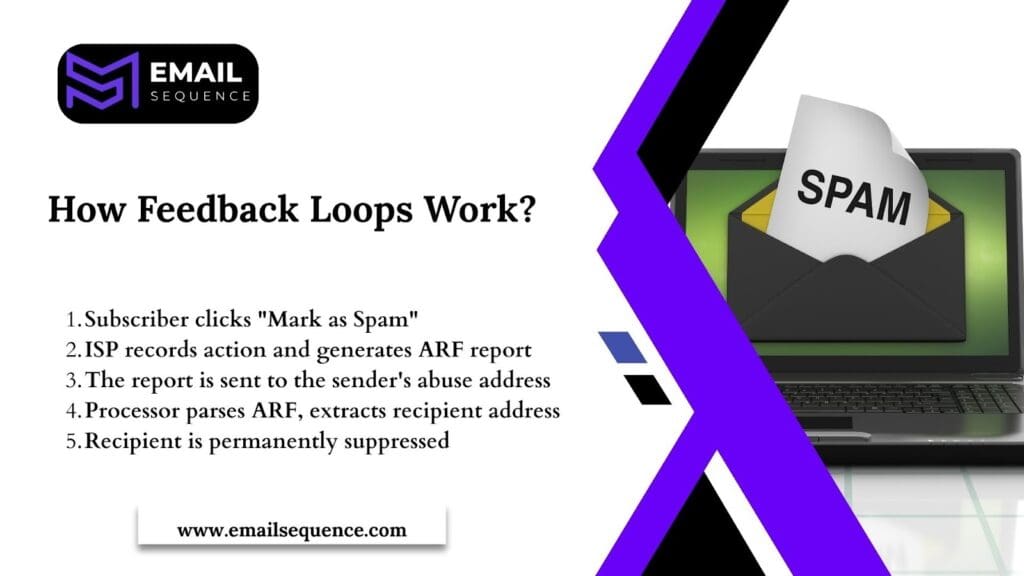
- Subscriber clicks “Mark as Spam” :
The email recipient, upon receiving an unwanted or suspicious message, actively chooses to initiate a complaint by clicking the “Mark as Spam,” “Report Junk,” or “Report Phishing” button within their email client (e.g., Gmail, Outlook, Yahoo Mail). This action signals to their Internet Service Provider (ISP) that the email is undesirable.
- ISP records action and generates ARF report:
The recipient’s ISP registers this complaint immediately. It then automatically generates an Abuse Reporting Format (ARF) report, a standardized XML-based document. This report contains crucial technical details, such as the original message headers, the IP addresses involved, and most importantly, the specific email address of the subscriber who reported the spam.
- The report is sent to the sender’s abuse address:
The ISP then transmits this ARF report to the designated abuse reporting email address that the email sender registered when signing up for the Feedback Loop (FBL) service. This delivery typically occurs in near real-time, often within seconds or minutes of the initial complaint.
- Processor parses ARF, extracts recipient address:
Upon receiving the ARF report at their abuse address, the email sender (or their Email Service Provider’s automated system) must quickly parse this XML data. The primary goal of this parsing is to accurately identify and extract the precise email address of the subscriber who filed the complaint.
- Recipient is permanently suppressed:
Once the complaining email address is identified, it is critical that the sender’s system immediately and permanently adds this address to a suppression list. This ensures that no further emails, whether marketing or transactional, are sent to this specific recipient from that sending domain or IP, thereby preventing future complaints and protecting the sender’s reputation.
Registration Landscape (The Two Mandatory Types)
Email senders must navigate two distinct types of feedback loop systems to achieve comprehensive coverage:
- Direct FBLs provide individual complaint data, including the specific email address that generated each complaint. Major ISPs offering direct feedback loops include Outlook, Yahoo, and AOL. These systems require separate registration processes and provide detailed complaint information that enables precise suppression actions.
- The Gmail Workaround represents a critical exception to the direct feedback model. Google does not provide individual complaint data through traditional feedback loops. Instead, Gmail users must monitor aggregate reputation data through Google Postmaster Tools. This platform provides overall complaint rates and reputation scores, but does not identify specific complaining addresses.
Both direct FBLs and Gmail Postmaster Tools are mandatory for comprehensive email program monitoring. Ignoring either system leaves significant blind spots in your reputation management strategy.
The Automated Strategy (Setup & Processing)
Successful email feedback loop implementation requires systematic automation across registration, processing, and suppression functions. Manual approaches cannot match the speed and consistency needed to protect sender reputation effectively.
Setting Up an Email Feedback Loop
Registration begins with verifying your technical credentials with each ISP. Most feedback loop programs require proof of IP address ownership and sending domain control before providing access to complaint data.
- Registration Requirements typically include domain verification through DNS records or email authentication. You must demonstrate legitimate control over both your sending infrastructure and branded domains. This verification process protects against abuse and ensures compliant data reaches authorized recipients.
- The Need for a Dedicated Abuse Address cannot be overstated. Feedback loop reports arrive at the email address you specify during registration. This address must be monitored continuously and connected to automated processing systems. Using a general support or marketing email address creates processing delays and organizational confusion.
- Mandatory Gmail Postmaster Tools Setup runs parallel to direct FBL registration. Google Postmaster Tools require domain verification through DNS records and provide access to reputation data for Gmail users. This system offers aggregate complaint rates, reputation scores, and delivery statistics that complement individual complaint data from other ISPs.
Spam Complaint Processor: Automate & Analyze
Processing feedback loop data demands sophisticated automation to achieve the speed and accuracy required for effective reputation management.
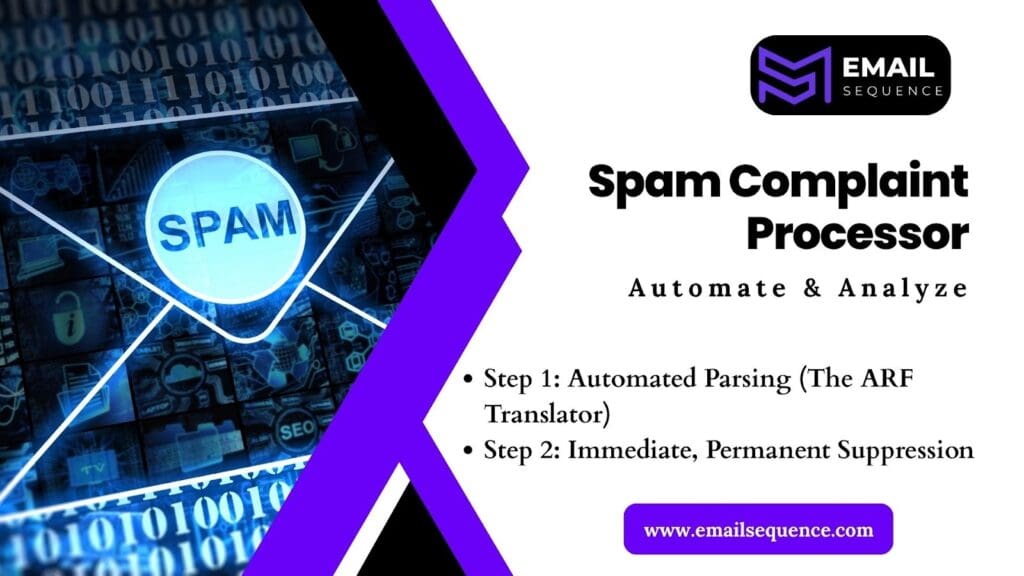
Step 1: Automated Parsing (The ARF Translator)
It converts technical ARF reports into usable suppression lists. ARF format includes multiple data fields and technical headers that require specialized parsing to extract actionable information. Automated parsers decode these reports within seconds and identify the specific email addresses requiring suppression.
Step 2: Immediate, Permanent Suppression
It enforces the 100% re-mailing rule. Once an email address generates a spam complaint, it must never receive another message from your organization. This suppression must occur instantly and apply across all lists, campaigns, and automated sequences. There are no exceptions to this rule.
The technical implementation of permanent suppression requires integration with your email service provider, customer relationship management system, and any third-party marketing automation platforms. All systems must recognize suppressed addresses and prevent future message delivery.
Strategic Value & Risk Mitigation
Feedback loops deliver measurable benefits that extend beyond basic compliance requirements. Organizations that implement comprehensive FBL strategies experience improved deliverability, enhanced data insights, and reduced regulatory risk.
The Benefits of Using Feedback Loops
Implementing feedback loops creates immediate and long-term advantages for email marketing programs:
- Boost your deliverability: Removing subscribers who complain means fewer spam reports. This improves your sender reputation with internet service providers (ISPs), leading to better inbox placement for your campaigns.
- Sharpen your messaging: FBL reports can highlight when your content, subject lines, or targeting isn’t hitting the mark. This data allows you to test new messaging and see what resonates most with your audience by tracking changes in complaint rates.
- Gain valuable audience insights: By showing you which specific audience segments generate high complaints, FBLs support smarter list management and help you refine your personalization efforts.
- Ensure regulatory compliance: Acting quickly on spam complaints is key to complying with regulations like GDPR and CAN-SPAM. Automating the removal of these users provides proof that you are honoring opt-out requests, protecting your business from legal risks.
Common Mistakes When Using Feedback Loops
Organizations frequently undermine their feedback loop effectiveness through predictable implementation errors:
- Re-Mailing Suppressed Addresses: Sending emails to addresses that have previously marked your messages as spam severely damages sender reputation. This often occurs due to poor system integration or manual errors.
- Ignoring Postmaster Tools: Neglecting Google’s Postmaster Tools means missing crucial Gmail-specific data needed to identify delivery issues and declining reputation trends.
- Manual Complaint Processing: Relying on slow, error-prone manual systems for spam complaints leads to delayed action and preventable reputation damage. Automate processing for speed and reliability.
- Disregarding Low Complaint Volumes: Even a small number of spam complaints can harm your reputation. Address all complaints immediately to prevent long-term damage.
- Failing to Analyze Complaint Data: Feedback loop data is vital for identifying patterns, content issues, or frequency problems. Regularly reviewing this data refines your strategy and reduces future complaints.
Smart FBL Data: Optimizing Your Automated Sequences
Advanced feedback loop analysis transforms complaint data into strategic intelligence for email program optimization. This approach moves beyond basic suppression to identify and resolve underlying campaign problems.
The Complaint Correlate: Lagging vs. Leading Indicators
Understanding the relationship between different engagement metrics helps predict and prevent spam complaint spikes:
- FBLs are the Lagging Indicator because complaint damage has already occurred when reports arrive. High complaint rates signal existing problems rather than emerging issues. By the time feedback loops reveal problems, reputation damage has already begun.
- Unsubscribe Rate is the Leading Indicator that predicts future complaint activity. Rising unsubscribe rates often precede complaint rate increases by days or weeks. Monitoring unsubscribe trends allows proactive campaign adjustments before complaints damage the sender’s reputation.
Smart email marketers track the correlation between unsubscribe rates and subsequent complaint rates. This analysis helps establish early warning thresholds that trigger content review and frequency adjustments.
Conclusion
Email feedback loops are essential for maintaining sender reputation and ensuring regulatory compliance in today’s complex email environment. In this blog, we covered the importance of FBLs, how they protect email deliverability, and the risks of ignoring them.
By following the three-step strategy: verifying FBL registration, automating ARF parsing, and monitoring Postmaster Tools, you create a strong defense against reputation damage. Proactive measures like these safeguard your email program from deliverability issues caused by silent threats.
Now is the time to act: check your FBL registration with major ISPs, set up abuse address monitoring, and configure suppression processes. Start with Gmail Postmaster Tools today to improve and protect your email performance.
Don’t wait until it’s too late to protect your sender reputation. Unlike marketing strategies, the technical systems that manage deliverability require constant attention. Implement your feedback loop strategy now, before the damage is done.
Need help getting started? Visit emailsequence.com to learn more.
Frequently Asked Question
What is an email feedback loop?
An email feedback loop is a system used by Internet Service Providers (ISPs) to inform senders when a user marks their email as spam. It helps identify and remove complaining recipients to maintain a healthy sender reputation.
How do feedback loops actually work?
When a recipient marks your email as spam, the ISP generates a complaint report (ARF format) and sends it to your registered abuse address. Your system then processes that data, extracts the email address, and suppresses it from future campaigns.
What is the difference between direct feedback loops and Gmail’s system?
Direct feedback loops from providers like Yahoo or Outlook send individual complaint data with specific addresses. Gmail doesn’t share individual reports — instead, it offers aggregate metrics through Google Postmaster Tools.
What are the requirements to register for an email feedback loop?
You need to verify your sending domain and IP, authenticate emails using SPF and DKIM, and provide a dedicated abuse or postmaster address to receive complaint reports.
