How to Create Interactive Emails: Interactive Email Design Guide
Interactive email design transforms static messages into engaging experiences by embedding interactive elements like polls, carousels, and embedded forms directly inside the inbox.
Instead of redirecting users to a landing page, interactive emails let subscribers take action without leaving their inbox. This approach increases click-through rates, reduces friction, and improves conversion rates across email marketing campaigns.
What Is Interactive Email Design?
Interactive email design is the practice of building emails that respond to user input directly inside the inbox. Unlike static emails that display fixed text and images, interactive emails allow users to click, swipe, complete forms, or browse products — all without visiting an external website.
Static emails deliver a one-way message. Interactive email design opens a two-way experience where the subscriber becomes an active participant, not a passive reader.
A few real-world examples make this concrete:
- A product carousel that lets the user browse different shoe colors inside the email
- An embedded survey asking one quick question about a recent purchase
- A live countdown timer showing hours left on a sale
These small interactions create a fundamentally different experience — and the engagement data reflects that difference.
Why Interactive Emails Improve Engagement Rates
Most email marketers focus heavily on subject lines and send times. However, what happens inside the email matters just as much for driving measurable results.
The behavioral psychology here is straightforward. When someone takes a small action — clicking a color swatch or answering a poll — they invest attention in the experience.
Interactive emails also reduce friction. Every additional step between a subscriber and a conversion is a drop-off opportunity. Removing the “click here, wait for the page to load, then act” sequence eliminates one of the most common conversion barriers in email marketing.
Key engagement benefits backed by behavioral psychology include:
- Commitment effect: Small actions (tapping a poll option) increase the likelihood of larger follow-through actions (completing a purchase).
- Reduced cognitive load: Engaging inside the inbox feels easier than navigating to a new page, which lowers mental resistance.
- Increased dwell time: Interactive content keeps users inside the email longer, signaling relevance to email clients and improving deliverability over time.
- Higher CTR: Campaigns using interactive elements consistently report click-through rates well above industry averages for static formats.
Types of Interactive Email Elements
Not all interactive elements work the same way. Each type serves a specific purpose, and the right choice depends on your campaign goal, audience, and technical setup.
Understanding the range of options available helps you match the right feature to the right use case — rather than adding interactivity for its own sake.
AMP Emails (Advanced Interaction Layer)
AMP emails (Accelerated Mobile Pages for Email) use Google’s open-source AMP framework to power real-time functionality directly inside the inbox. A subscriber can fill out a form, update a preference, or check a live inventory count without leaving their email client.
AMP emails are supported by Gmail, Yahoo Mail, and Mail.ru. Outlook and Apple Mail do not currently support AMP, which makes fallback design essential.
Critical points about AMP emails:
- Real-time updates: Content inside the email can change after delivery — live pricing, stock levels, or event seat availability.
- Form submission: Users can complete a lead form or survey response without switching to a browser.
- Approval process: Gmail requires senders to register with Google before sending AMP emails at scale.
- Fallback requirement: Always build a static HTML fallback for clients that do not render AMP.
Embedded Forms
Embedded forms allow subscribers to submit data directly inside the email — no external link required. Common applications include NPS surveys, event RSVPs, feedback requests, and newsletter preference updates.
These work through HTML form elements or AMP components, and they significantly reduce abandonment rates compared to “click here to take a survey” links. The most effective embedded forms ask one focused question and confirm the submission with an inline success message.
- Survey responses collected inside the email show higher completion rates than linked survey pages
- Preference centers embedded in emails let subscribers self-segment, which improves future targeting accuracy
- Lead capture forms embedded in cold outreach emails reduce the number of steps between interest and conversion
Dynamic Content Blocks
Dynamic content blocks display different email sections to different subscribers based on behavioral data, location, purchase history, or CRM attributes. The email structure stays consistent, but the content inside each block changes at the moment of send — or, with AMP emails, at the moment of open.
Examples of how dynamic content drives results:
- An eCommerce email shows running shoes to a customer who browsed athletic gear and dress shoes to a customer who browsed formal wear
- A SaaS onboarding email surfaces the specific feature a user has not yet activated
- A retail promotional email shows local store inventory rather than a generic catalog
Interactive Buttons and Carousels
Interactive buttons with hover effects, animated CTAs, and tabbed navigation allow users to browse product categories without scrolling through a long email. Product carousels function similarly to a website slider, the subscriber swipes or clicks through multiple items in a single email container.
These interactive elements are especially effective for:
- eCommerce product launches where multiple SKUs, colors, or sizes need to be visible without overwhelming the layout
- Content newsletters where different topic categories live in separate tabs
- Portfolio or case study emails where multiple examples can be browsed in one place
Gmail vs. Outlook: Compatibility at a Glance
Before committing to any interactive feature, verify email client compatibility. Gmail supports CSS animations, hover effects, and AMP. Outlook (desktop versions) strips most advanced CSS and does not support AMP, requiring a fully functional HTML fallback. Apple Mail supports CSS animations but not AMP.
Step-by-Step Guide to Creating Interactive Emails
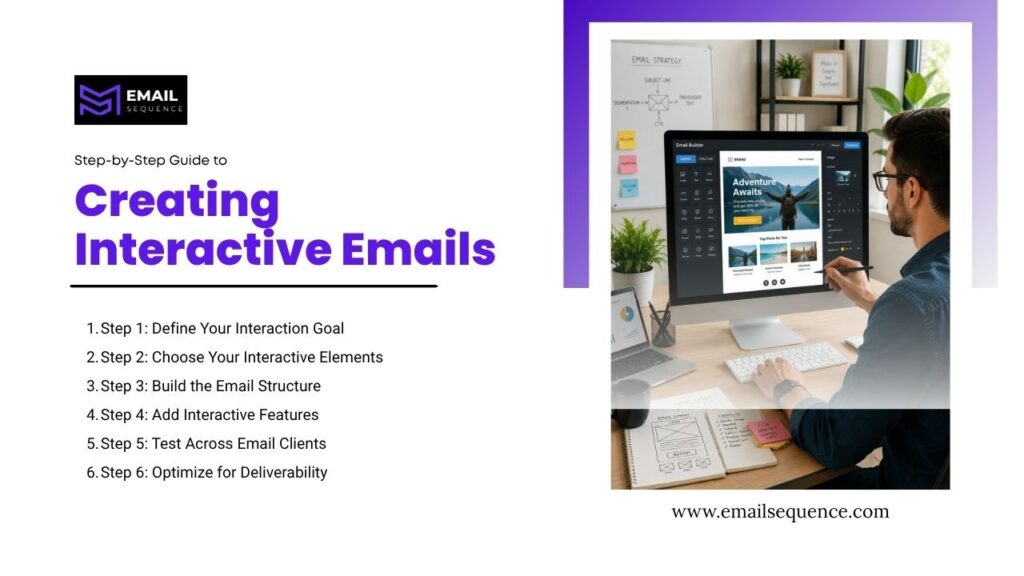
Building an interactive email design requires more planning than a standard HTML email. The steps below walk through the full process, from goal setting to deliverability testing.
Step 1: Define Your Interaction Goal
Every interactive email should serve one measurable objective. Before selecting any interactive elements, identify exactly what action you want the subscriber to take.
Useful questions to clarify your goal:
- CTR goal: Do you want the subscriber to browse a product catalog or navigate to a specific page?
- Data collection goal: Do you want survey responses, preference updates, or RSVP confirmations?
- Engagement goal: Do you want to increase email dwell time and improve sender reputation?
A clearly defined goal prevents the common mistake of adding multiple interactive features that compete for attention.
Step 2: Choose Your Interactive Elements
Once the goal is clear, select the interactive elements that serve it most directly. Match each element to the subscriber action it is designed to trigger.
Selection criteria for interactive email design elements:
- Goal alignment: An embedded form fits a data collection goal; a carousel fits a product discovery goal.
- Audience technical profile: B2B audiences often use Outlook heavily, which limits AMP support.
- Development resources available: AMP emails require more technical skill than CSS-based hover effects.
- Fallback complexity: The more interactive the feature, the more critical a clean fallback becomes.
Step 3: Build the Email Structure
Start with a solid HTML email base. Use a responsive table layout as the structural foundation; this ensures compatibility across the widest range of email clients before any interactive elements are added.
Build two parallel versions from the start:
- Interactive version: Includes all AMP components, CSS animations, or embedded form code
- Fallback version: A clean, fully functional static HTML email that delivers the same core message without interactive features
Email clients that do not support the interactive version will automatically render the fallback. Subscribers always see a functional email regardless of their client.
Step 4: Add Interactive Features
With the base structure in place, embed the interactive elements into the appropriate content blocks. For AMP emails, use AMP components like <amp-form>, <amp-carousel>, and <amp-bind>. For CSS-based interactions, add hover states and animation rules inside a <style> block within the <head> of the email.
Key technical checkpoints at this stage:
- Form action URLs: Confirm all embedded form submission endpoints are live and return correct success/error states
- Dynamic content variable syntax: Verify merge tags or personalization tokens render correctly in your ESP’s preview tool
- AMP validation: Use Google’s AMP Playground (https://playground.amp.dev) to validate AMP email code before testing
Step 5: Test Across Email Clients
Testing is non-negotiable in interactive email design. An email that renders beautifully in Gmail may break entirely in Outlook 2019. Use email rendering tools like Litmus or Email on Acid to preview across 90+ email client and device combinations.
Critical test scenarios to run:
- AMP rendering in Gmail: Confirm the interactive layer loads correctly and the fallback does not show
- Outlook fallback rendering: Verify the static fallback is clean, readable, and functional
- Mobile responsiveness: Check that interactive carousels and buttons are large enough for thumb navigation on small screens
- Form submission flow: Complete the embedded form on a live test send and confirm data reaches the correct destination
Step 6: Optimize for Deliverability
Interactive code, particularly AMP emails, can trigger spam filters if not handled correctly. Deliverability optimization protects the campaign from landing in junk folders before the subscriber ever sees the interaction.
Deliverability best practices specific to interactive email design:
- Authenticate your domain: Confirm SPF, DKIM, and DMARC records are correctly configured before sending AMP emails at scale
- Register with Gmail for AMP: Complete Google’s AMP for Email sender registration to enable AMP rendering for Gmail recipients
AMP Emails Explained
AMP emails represent the most technically advanced layer of interactive email design. Understanding how they work and where they fail separates effective campaigns from expensive mistakes.
AMP for Email is an extension of Google’s AMP open-source framework, adapted specifically for the email environment. When a Gmail recipient opens an AMP email, their email client renders AMP components live — pulling real-time data from the sender’s server at the moment of open.
How the technical flow works:
- The sender’s ESP delivers an email with three MIME parts: AMP HTML, HTML, and plain text
- Gmail checks whether the sender is registered as an approved AMP sender
- If approved, Gmail renders the AMP MIME part and the subscriber sees the interactive version
- If not approved (or if the client is Outlook, Apple Mail, etc.), the HTML fallback renders automatically
Benefits of AMP emails:
- Real-time content: Product prices, availability counts, and event details update every time the email is opened — not just at send time
- Zero-click form completion: Subscribers complete actions without switching context
- Higher engagement rates: Real-time relevance makes the email feel current rather than stale
Limitations of AMP emails:
- Limited client support: Only Gmail, Yahoo Mail, and Mail.ru currently support AMP rendering natively
- Sender registration requirement: Gmail requires senders to complete a verification process before AMP renders for recipients
- Increased development complexity: AMP emails require knowledge of AMP-specific components and validation standards
- Privacy tool interference: Some corporate email proxies strip AMP components, forcing fallback rendering regardless of client support
Impact of Interactive Emails on Marketing Performance
Interactive email design produces measurable results across every key email marketing metric when implemented correctly.
The performance improvements are not marginal. The shift from static to interactive creates a fundamentally different engagement experience, and the data reflects that.
Documented performance impacts of interactive elements in email campaigns:
- Engagement time: Interactive emails increase average time-in-email by reducing the need for subscribers to navigate away to external pages.
- Conversion rate: Removing the external redirect step from form completions increases conversion rates — particularly for survey responses and event registrations.
- Customer retention: Personalized dynamic content blocks delivered consistently over time strengthen subscriber relationships and reduce list churn.
- Data quality: Embedded forms and preference centers inside emails collect cleaner, more accurate zero-party data than pop-up forms or landing pages.
Tools for Creating Interactive Emails
Different tools serve different team types. A developer comfortable with AMP code needs different support than a marketer using a drag-and-drop builder.
The most widely used tools for building interactive emails in 2026:
| Tool | Interactive Features | AMP Support | Best For | Pricing Model |
| Mailchimp | Basic buttons, conditional content, polls | Limited | Small businesses, beginners | Freemium |
| HubSpot | Smart content, dynamic content blocks, A/B testing | No native AMP | CRM-integrated teams, automation-heavy campaigns | Subscription |
| SendGrid | Full HTML/CSS control, AMP support via API | Yes (developer setup) | Technical teams, high-volume senders | Pay-as-you-go |
| Klaviyo | Dynamic content, behavioral triggers, product carousels | No native AMP | eCommerce brands, product-led campaigns | Subscription |
| Stripo | Drag-and-drop AMP builder, embedded forms, gamification | Yes (visual builder) | Mid-market teams wanting AMP without coding | Freemium |
SendGrid and Stripo offer the strongest AMP support for teams that want to implement advanced AMP emails without building from scratch. Klaviyo leads for eCommerce dynamic content personalization without requiring AMP.
Conclusion
Interactive email design is more than a trend; it’s a strategic shift in email marketing. By using interactive elements like embedded forms and dynamic content, marketers can increase conversions. The goal is simple: remove steps between the subscriber and the desired action.
Technologies like AMP emails make this possible, compressing the path from awareness to conversion within the inbox. Success isn’t about using every feature, but the right one for the right audience and measuring the results every time.
EmailSequence.com’s AI-powered platform helps marketing teams build, personalize, and optimize email sequences that convert. Start your campaign today at emailsequence.com.
Frequently Asked Questions
What is interactive email design?
Interactive email design is a modern email marketing approach where subscribers engage directly inside the email without visiting an external website. It incorporates interactive elements such as embedded forms, product carousels, polls, and AMP emails that allow real-time interaction.
What are AMP emails in interactive email design?
AMP emails are a type of interactive email that allows real-time functionality inside the inbox, such as filling forms, browsing products, or updating content without leaving the email. They are supported mainly by Gmail and improve user engagement by reducing the number of steps required to complete an action.
How do AMP emails work?
AMP emails use Google’s framework to add interactive features like forms and live inventory directly into emails, working on platforms like Gmail and Yahoo Mail.
Do interactive emails boost conversions?
Yes, by removing extra clicks and keeping users in their inbox, interactive emails can significantly increase engagement and conversion rates compared to static versions.
What tools are best for creating interactive emails?
Popular tools include Mailchimp for basic interactive features, HubSpot for automation and personalization, SendGrid for developer-level AMP support, and Klaviyo for advanced dynamic content in eCommerce campaigns. The choice depends on technical skill level and campaign complexity.