
How to Use Preheader Text to Increase Email Open Rates
Ever wonder if you’re leaving money on the table in your customers’ inboxes? You probably are. That tiny snippet of text right next to your subject line, the preheader, is marketing gold, often ignored. Most businesses simply let it default to generic phrases like “View this email in your browser,” completely missing the opportunity to leverage those crucial 40 to 130 characters. This space is far too valuable to waste if you want to boost your open rates.
This overlooked space is your second subject line, a free, highly visible chance to make your case. On mobile devices, where screen space is limited, the preheader is often the final piece of information a user sees before deciding to open or delete your message. Its importance cannot be overstated.
When optimized correctly, preheader text becomes a powerful tool for increasing customer lifetime value (LTV) by keeping subscribers engaged and moving forward in their journey with your brand.
Preheader Fundamentals: The Technical Control You Need
What Is Preheader Text?
Preheader text is the short summary that follows the subject line when an email is viewed in an inbox. Email clients automatically pull this text from the first visible line of HTML code in the email’s body.
When you do not set it manually, the email client will display whatever text it finds first, which often results in unhelpful or unprofessional-looking content.
How Long Should Your Preheader Be? (2025 Standard)
How long should your preheader text be? To master this space, you must balance visibility across different devices.
- Optimal Length: Target 30 to 50 characters for your core message. This is the “mobile safe zone,” ensuring your most critical information appears on smaller screens without getting cut off.
- Maximum Length: Pad the full text up to 100-130 characters. This strategy prevents email clients from pulling unwanted placeholder text from the rest of your email body to fill the remaining space.
The Technical Dilemma: Stopping Placeholder Text
One of the biggest risks of neglecting your preheader is the appearance of generic text. If a custom preheader is not explicitly set, subscribers may see unengaging phrases like “View in browser,” “Unsubscribe,” or even random code snippets.
This not only looks unprofessional but also squanders a valuable opportunity to communicate your message and persuade the reader to open the email.
Consequences of a Neglected Preheader:
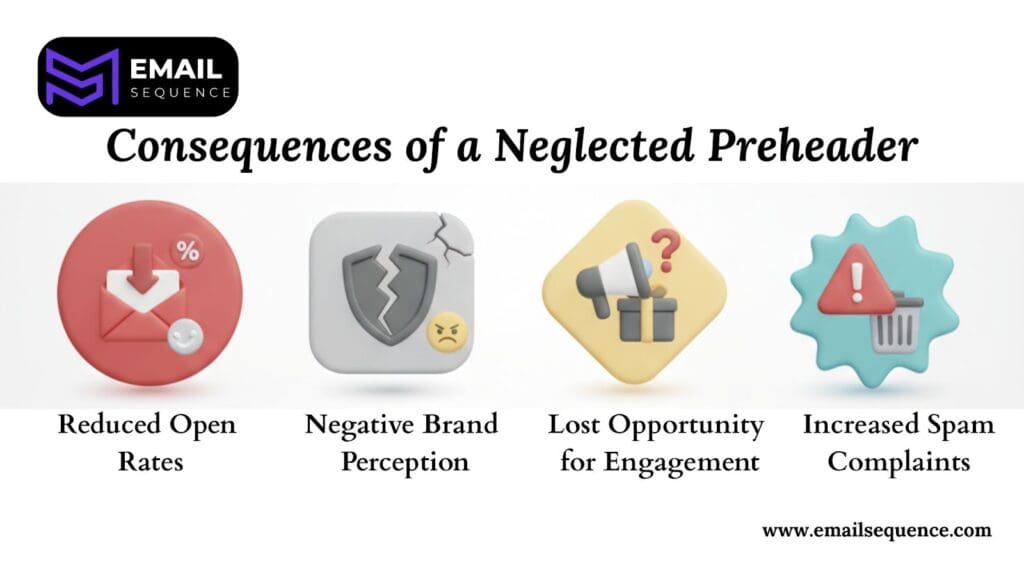
- Reduced Open Rates: A bland or irrelevant preheader fails to entice subscribers, lowering the chance they’ll click.
- Negative Brand Perception: Generic or broken text makes your brand appear careless or unprofessional.
- Lost Opportunity for Engagement: You missed a critical chance to extend your subject line and offer a compelling reason to open the email.
- Increased Spam Complaints: Some users might mark emails as spam if they appear unpolished or irrelevant, especially if the preheader contains confusing code.
6 Strategic Techniques to Boost Sequence Open Rates
1. The Technical Fix: Hidden CSS Injection
How can you display custom preheader text in the inbox without it showing up in the body of the email? The solution lies in a simple but powerful HTML and CSS trick. Your goal is to force the email client to “see” the text first while keeping it invisible to the user after they open the email.
To achieve this, wrap your preheader text in a hidden <div> element placed at the very top of your email’s body. Use the following code:
<div style=”display:none; font-size:1px; color:#ffffff; line-height:1px; max-height:0px; max-width:0px; opacity:0; overflow:hidden;”>
Your compelling preheader text goes here.
</div>
Pro-Tip: Padding for Perfection
- Maximize Space: Use the full 130 characters available for your preheader.
- Block Placeholders: Prevent email clients from pulling in unwanted text by padding.
- How to Pad: Add zero-width non-joiner characters (‌) or non-breaking spaces ( ) at the end of your preheader.
- Invisible Filler: These characters fill the space without appearing visible in the inbox.
- Full Control: This ensures you have complete command over what your subscribers see.
2. The Curiosity & Urgency Duo
This technique masterfully combines a captivating question in your subject line with a time-sensitive consequence or an enticing, immediate solution in the preheader. This powerful pairing creates an irresistible pull, compelling recipients to open your email right away.
The subject line sparks their interest or taps into a potential concern, while the preheader offers a quick resolution or highlights a limited-time opportunity, driving immediate action.
Here are some examples:
- Subject: “Did you forget something?”
- Preheader: “Your cart expires in 3 hours. Complete your purchase now for 15% off.”
- Subject: “Is your subscription about to expire?”
- Preheader: “Renew today and get 2 months free – offer ends midnight!”
3. Transactional Reinforcement
For transactional emails like order confirmations, shipping updates, or password resets, use the preheader to provide key information and reinforce the value you offer. This builds trust, reduces customer support queries, and prompts the recipient to take the next logical action.
- Subject: “Your order #78523 is confirmed!”
- Preheader: “It will ship within 24 hours. Track your package here.”
- Subject: “Your package is on its way!”
- Preheader: “Arriving tomorrow by 8 PM. See what’s inside!”
4. Hyper-Personalization (Beyond the Name)
Go beyond just using the recipient’s first name. Use dynamic content that changes based on their recent activity, purchase history, or where they are in your customer journey. This makes each email feel like it was crafted specifically for them.
For an abandoned cart:
- Subject: “Still thinking about the [Product Name]?”
- Preheader: “Get free shipping today.”
For a re-engagement campaign:
- Subject: “We miss you, [First Name]!”
- Preheader: “Since you love [Product Category], here’s a new arrival just for you.”
This hyper-personalization shows you’re paying attention to individual customer preferences, not just sending mass broadcasts. By tailoring both the subject line and preheader text, you build a stronger connection and prove that your emails offer genuine value, making subscribers much more likely to open, click, and convert.
5. The 2-Part A/B Test Mandate
You should never test a subject line in isolation. The subject line and preheader work together as a single messaging unit in the inbox. Always A/B test the combined effect to find the most powerful pairing for driving opens.
For example, test these combinations:
Simple A/B Test:
- Combination A: Subject A + Preheader A
- Combination B: Subject B + Preheader B
Isolate Preheader Impact:
- Combination C: Subject A + Preheader A
- Combination D: Subject A + Preheader C (New Preheader)
Analyzing the results this way will give you a true understanding of what motivates your audience to click. Go beyond open rates and analyze click-through and conversion rates for each combination.
6. Clear Action-Oriented CTA
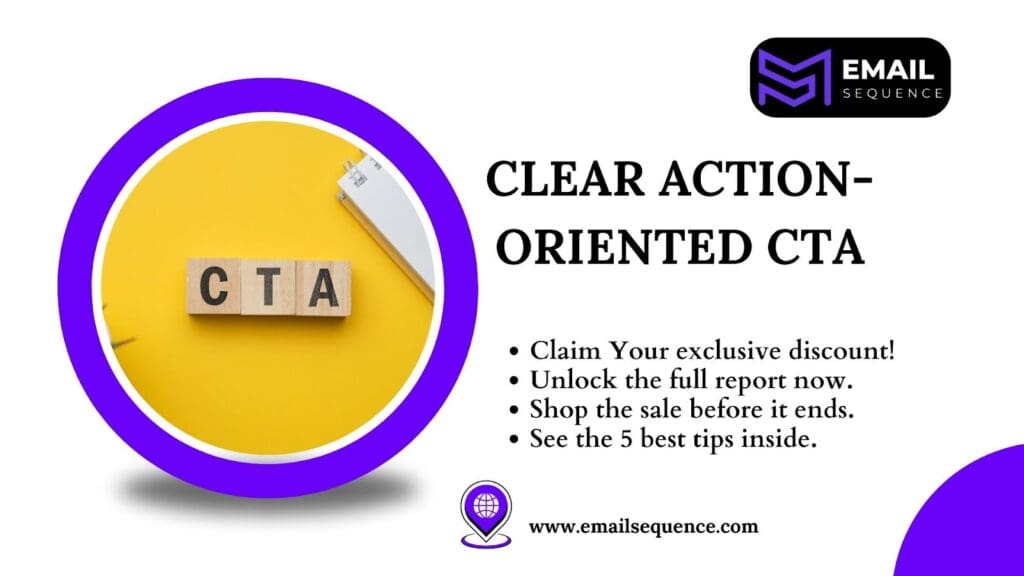
Your preheader text can function as a direct call to action. Start with a strong verb and clearly state the specific, quantifiable benefit the user will receive. Don’t underestimate the power of this small but mighty text.
When crafted intentionally, it transforms from a mere summary into a compelling call to action, driving immediate engagement. This little snippet can be your secret weapon to turn curious glances into confident clicks, providing a clear path for your subscribers to take action.
- Subject: “Unlock Your Productivity Power”
- Preheader: “Download our template to save 5 hours on weekly tasks.”
- Subject: “Exclusive Offer: 24-Hour Sale!”
- Preheader: “Claim your 30% discount before it expires tonight.”
Preheader Optimization Across Automated Sequences
How can you apply these strategies across different types of automated email flows? Tailor your preheader to meet the specific goal of each sequence to maximize customer lifetime value.
Welcome/Onboarding Email Preheaders
These are the very first emails new users receive after signing up. They’re designed to make a great first impression, confirm their sign-up, and help them take their initial steps with your product or service.
Preheader Strategy:
- Remind them of the main value they’ll get.
- Encourage them to complete their profile, explore a feature, or take a crucial first action.
- Get new users active quickly and reduce early churn.
Abandoned Cart Email Preheaders
These emails target users who added items to their shopping cart but didn’t complete the purchase. The main goal is to bring them back to finish buying.
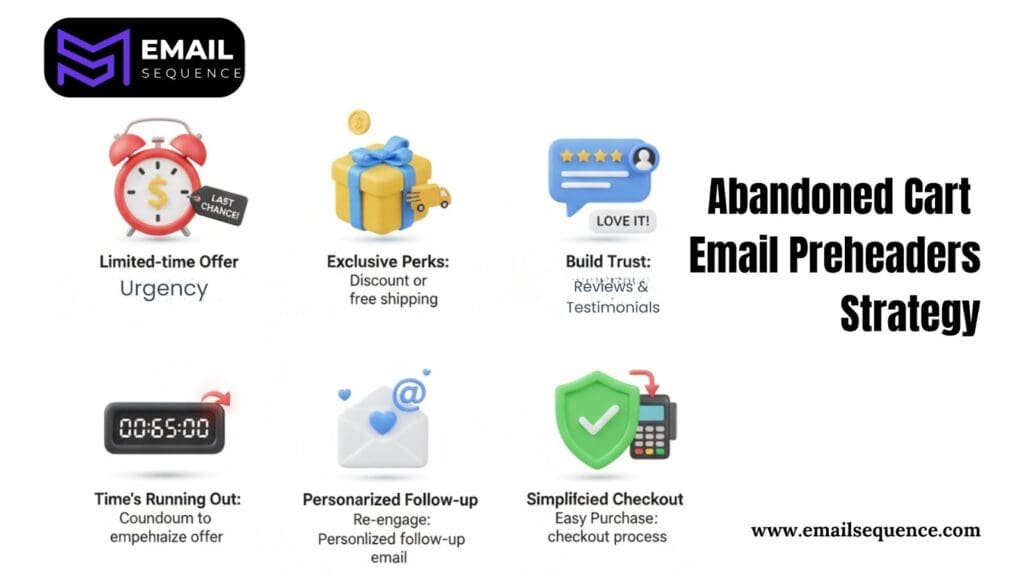
Preheader Strategy:
- Use phrases that suggest limited stock or a short-term offer to create urgency.
- Offer a small discount, free shipping, or remind customers of the benefits to close the deal.
- Highlight customer reviews or testimonials to build trust and encourage action.
- Display a countdown timer to emphasize the time-sensitive nature of the offer.
- Send a personalized follow-up email to re-engage potential buyers.
- Simplify the checkout process to reduce friction and encourage quick conversions.
- Use bold visuals or clear CTAs to grab attention and prompt immediate action.
Nurture/Education Email Preheaders
These emails are all about building a relationship by providing valuable content, tips, or insights. They help keep your brand top-of-mind and educate your audience.
Preheader Strategy:
- Reference Past Interactions: Remind them of previous content they engaged with.
- Tease New Content: Give them a compelling reason to click and learn more.
- Goal: Drive content consumption and encourage deeper engagement with your product or service features.
Re-engagement/Win-Back Email Preheaders
These emails are sent to customers who haven’t interacted with your brand in a while. The purpose is to rekindle their interest and bring them back.
Preheader Strategy:
- Acknowledge their absence: A simple “We miss you!” or “It’s been a while…” can grab attention.
- Offer a compelling incentive: Directly state a special discount, exclusive offer, or unique benefit for their return (e.g., “Your 20% off code awaits”).
- Highlight a new feature/update: Briefly mention something exciting they’ve missed that might appeal to them.
- Create urgency/scarcity (optional): “Last chance to claim your offer!” if applicable.
Conclusion
In conclusion, optimizing your email preheader text is truly transformative for mobile engagement and the effectiveness of your automated sequences. Consider it your crucial second subject line, an opportunity to immediately convey value, foster a sense of urgency, and skillfully guide your subscribers through their journey.
Begin by establishing full technical control over this vital text. Then, strategically implement techniques such as personalization, teasing compelling content, leveraging the fear of missing out, and ensuring perfect alignment with your primary subject line. Never let this valuable space go to waste.
Instead, transform it into a powerful instrument for increasing opens, driving meaningful engagement, and ultimately boosting your revenue. Seize the chance to elevate your entire email strategy by crafting and testing high-converting preheaders today.
Ready to take your email marketing to the next level? Visit emailsequence.com to get started.
Frequently Asked Questions
What is preheader text in email marketing?
Preheader text is the short snippet that appears next to or below the subject line in an inbox. It gives recipients a preview of the email’s content and helps improve open rates.
How do I hide preheader text from appearing in the email body?
Use a hidden <div> with inline CSS (display: none, opacity:0, etc.) so it appears only in the inbox preview and not in the visible email content.
What’s the best type of preheader for automated emails?
It depends on the sequence:
- Welcome emails: Reinforce brand value.
- Abandoned cart: Create urgency or offer discounts.
- Re-engagement: Offer incentives or highlight new updates.
What is the difference between Preheader and preview text?
The terms “preheader text” and “preview text” are often used interchangeably in email marketing. A preheader (sometimes called a “Johnson Box”) is the short summary text that follows the subject line when an email is viewed in the inbox.
Does adding a custom preheader actually increase open rates?
Yes, absolutely. Studies consistently show that emails with a well-written, intentional preheader (instead of generic placeholder text) have significantly higher open rates. The preheader acts as a secondary call-to-action for the open.
What is the best CTA for email?
The best CTAs are direct and use compelling verbs that specifically guide the user toward the desired action. Instead of generic text like “Submit” or “Click Here,” use phrases such as “Get Your Free Quote,” “Start My Free Trial,” or “Download Now”.
