
Reduce Email Unsubscribes: A Subscriber Retention Guide
Did you know that 45% of subscribers unsubscribe because emails are no longer relevant to them? Each unsubscribe is more than just a lost contact; it’s a crack in your revenue pipeline. While the gut reaction for many marketers is to hit the brakes and send fewer emails, research shows that simply reducing frequency isn’t the silver bullet. In fact, a lack of personalization costs businesses an estimated $756 billion annually.
The real secret to stopping the exodus from your email list isn’t sending less, it’s being more relevant. The future of subscriber retention lies in moving beyond basic segmentation and embracing Smart Content—dynamic, behavioral blocks that tailor the content inside every single email to the individual receiving it.
This guide provides the actionable, content-based tactics that general “list cleaning” guides often miss. You will learn how to proactively identify at-risk subscribers and re-engage them with hyper-relevant content, ensuring your email list remains a powerful asset for your business. Following these steps will help you reduce email unsubscribes and foster long-term loyalty.
Strategy 1: Proactive Churn Reduction (Identifying At-Risk Subscribers)
The first step toward significant audience retention is to flag subscribers who are heading toward the unsubscribe button before they click it. Proactive intervention is far more effective than trying to win back someone who has already made the decision to leave.
Metric: The Unsubscribe Predictor Score (The “At-Risk” Flag)
How do you pinpoint these disengaged users? Start by tracking key low engagement metrics, such as reduced login frequency, declining session duration, or a drop in feature usage.
Then, create a weighted score that combines these metrics to identify at-risk users. This approach helps you prioritize who to re-engage and tailor strategies to win them back effectively.
- Calculation: Define a formula that works for your business. For example, a subscriber who has not opened the last two emails and has not clicked a link in 90 days could be assigned a “High Risk” status.
- Action: Once a subscriber meets this criterion, flag them within your email service provider. This “At-Risk” segment will be the target for immediate, proactive intervention designed for engagement improvement.
Foundational Tip: Setting the Preference Center
Allowing subscribers to have clear control over how often they receive content and what topics they find most relevant is key to keeping your audience engaged for the long term. To reduce email unsubscribes, offer options to customize email frequency, such as daily, weekly, or monthly, and let them choose topics they care about most.
This not only reduces the risk of overwhelming your audience but also builds trust and loyalty. An empowered subscriber, who feels in control, is far less likely to hit the unsubscribe button and more likely to remain an active, engaged member of your community.
Tactic:
- Place a link to your Preference Center in every email footer.
- Frame it as an easy alternative to unsubscribing.
- This encourages users to adjust their settings instead of leaving your list.
Strategy 2: The Smart Content Solution (Engagement Improvement)
Once you have identified at-risk subscribers, the next goal is to use dynamic content to boost engagement. The core principle is ensuring 100% relevance in every communication you send.
Tactic 1: Dynamic Content Blocks (The 60/40 Rule)
How can you personalize content without rebuilding every email from scratch? The 60/40 rule is your most efficient framework for implementation. Instead of creating unique emails for every subscriber segment, you’ll focus on making small, high-impact changes.
This approach allows you to maintain brand consistency while delivering a personalized experience that resonates with each reader.
What to Do:
Keep 60% of your email content static and use the remaining 24% for dynamic, personalized elements based on subscriber data.
- Static Content (60%): This is the core of your email. It should include your primary brand message, main offer, or key announcement. This part remains the same for all subscribers, ensuring brand consistency.
- Dynamic Content (40%): This is where personalization comes in. This smaller section changes based on specific subscriber data, such as their purchase history, location, or browsing behavior.
Examples:
Consider adding a “Post-Purchase Cross-Sells” block that shows accessories for a recently purchased product. You could also use “Geo-Targeted Offers” to display local event details or the nearest store location. Another powerful example is a “Recent Activity Recap,” which could say, “You looked at X product—here are 3 reviews from people who bought it.”
Tactic 2: Behavior-Triggered Subject Lines
Generic subject lines are easy to ignore. To re-engage subscribers in your “At-Risk” segment and reduce email unsubscribes, your subject lines need to be impossible to overlook. By personalizing the subject line based on their recent behavior (or lack thereof), you can create a sense of urgency and relevance that compels them to open the email.
What To Do:
- Personalize subject lines by referencing specific actions, such as a recent purchase, a download, or a sign-up.
- Highlight inaction too, like abandoned carts or unopened emails, to gently nudge users back.
- Use dynamic keywords like the user’s name or a product they viewed for a more tailored approach.
Example: Instead of sending “New Blog Post,” try a subject line like, “Did you miss this guide on [last clicked topic]? (It’s still relevant.)” This directly connects the new content to their past interests.
Tactic 3: Topic Affinity Re-confirmation in Footer
How do you get a disengaged user to tell you what they want? Simple: you ask them. By embedding a straightforward preference selection at the bottom of your emails, you give them an easy way to update their interests without navigating to a separate settings page.
This helps you re-capture their attention and tailor your content to what they’re actually interested in.
Action:
In emails sent to low-engagement segments, include a simple three-option poll. For example, “Click your favorite topic: A, B, or C?”
Benefit:
- Encourages users to re-engage with their content choices
- Collects valuable data to improve future segmentation
- Helps reduce email unsubscribes
Strategy 3: The 3-Stage Re-engagement Blueprint
For subscribers who remain disengaged despite your Smart Content efforts, a final, systematic attempt is needed to salvage the relationship. This blueprint also serves as a responsible list-cleaning process.
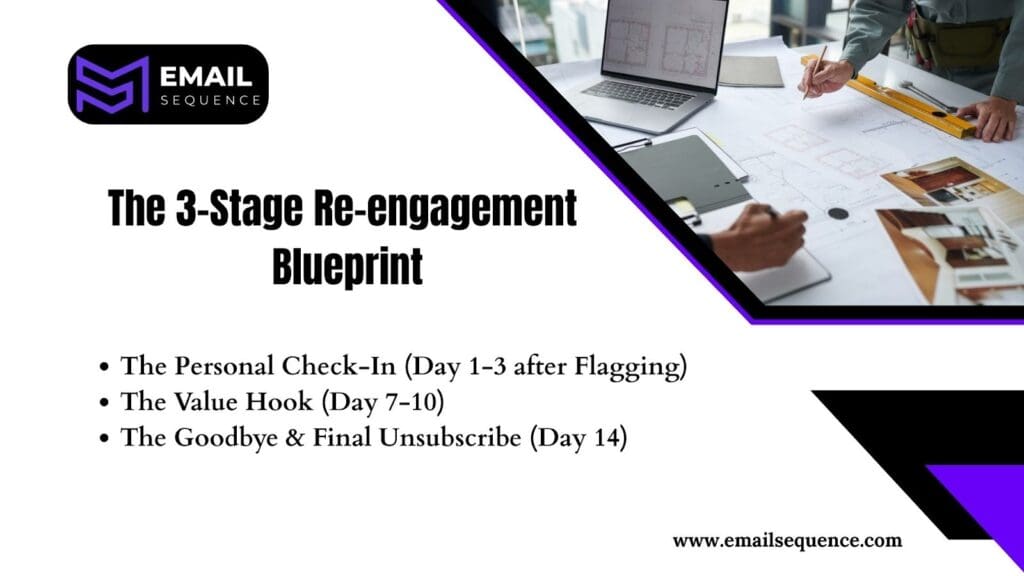
Email 1: The Personal Check-In (Day 1-3 after Flagging)
Your first email should convey empathy and concern, not a sales pitch.
- Copy Focus: Write a simple, human-centric message that feels conversational and empathetic. For example, “Hey, it looks like you haven’t clicked in a while. Are we sending the wrong things? Let us know how we can better serve you.” This approach shows you value their preferences and avoids coming across as pushy.
- Primary CTA: The main call to action should link directly to the Preference Center, giving users the power to customize what they receive. Highlight how this benefits them, such as reducing unwanted emails or focusing on topics they genuinely care about.
Email 2: The Value Hook (Day 7-10)
If the first email does not get a response, the second should offer massive, exclusive value.
- Copy Focus: Present an irresistible offer. For example, “Before you go, grab this exclusive free tool we typically reserve for paying customers. It’s designed to save you time and help you achieve results faster.” Highlight how the tool can directly benefit the user and solve a specific problem they face.
- Primary CTA: Use a single, high-value link with a clear expiration date to create urgency and importance. Include a brief note emphasizing the exclusivity, such as, “This offer is only available for the next 48 hours, don’t miss out on this opportunity to get ahead!”
Email 3: The Goodbye & Final Unsubscribe (Day 14)
Clarity and finality are crucial at this stage. If the subscriber has not responded, it is time to let them go gracefully.
Copy Focus:
Be direct and respectful. “Since we have not heard from you, we’re pausing your emails to keep your inbox clean. If you’d like to stay in touch, simply click below to confirm your subscription.” This approach gives the user a clear choice while showing consideration for their inbox.
Action:
- Automate Removal: After 14 days of no action, automatically remove the user from your general mailing list.
- Protect Reputation: This final cleaning step protects your sender’s reputation.
- Boost Metrics: It also ensures higher email deliverability rates and engagement.
Conclusion
To effectively reduce email unsubscribes and increase engagement, you need a strategy that goes beyond basic list cleaning. The key is to deliver personalized, relevant content that makes your subscribers feel seen and valued.
This guide walks you through a 3-Stage Re-engagement Sequence designed to win back inactive users. You’ll learn how to identify your “No Click” segment, craft compelling re-engagement emails with clear calls-to-action, and respectfully pause communications for those who don’t respond.
By focusing your efforts on an engaged audience and automating your list maintenance, you’ll not only lower unsubscribe rates but also protect your sender reputation and build stronger customer relationships.
Ready to turn inactive subscribers into loyal fans? Visit EmailSequence for more information and start building stronger connections today.
Frequently Asked Quuestions
Why do subscribers stop engaging with emails?
Subscribers disengage when content becomes irrelevant, repetitive, or too frequent. If messages don’t match user intent or behavior, engagement drops and unsubscribe risk increases.
How often should a brand email its subscribers?
Most brands perform best emailing 1–3 times per week, but the ideal frequency depends on audience behavior. The best approach is to A/B test mailing frequency and track engagement shifts.
What is an unsubscribe predictor score?
It’s a data-based metric that identifies subscribers likely to opt out soon. The score uses signals like inactivity, falling open rates, and reduced click behavior to warn marketers before churn happens.
What triggers should be used for automated email campaigns?
Behavior triggers like recent activity, abandoned browsing, inactivity signals, or past purchases work best. They help deliver the right message at the right time.
