
Plain Text Emails vs HTML Emails: Complete Comparison
Imagine you’re crafting an email campaign that could make or break your next big launch. Do you go with the sleek, image-packed design that screams “professional brand,” or stick with a plain, no-frills email that feels like a personal note from a friend?
The debate between plain text emails and HTML formats has puzzled marketers for years. Is it about connection or creativity—so, which wins?
Understanding which format performs better requires looking beyond personal preference and examining data on open rates, conversions, and deliverability.
While an elaborate HTML email design might catch the eye, text-based emails often feel more authentic and trustworthy to the recipient. The right email format depends entirely on your specific goals, audience, and the nature of the message you are sending.
This article explores the strengths and weaknesses of both approaches to help you make an informed decision for your next campaign.
What Are Plain Text Emails?
Plain text emails are exactly what they sound like: messages that contain only text with no formatting, images, or embedded code. They strip away the visual distractions to focus entirely on the written content, mimicking the style of a personal email you might receive from a friend or colleague.
This format relies heavily on the strength of the copy rather than visual elements to engage the reader.
- Minimalist Approach: There are no fonts, colors, or layout structures to manage.
- Device Universal: These emails render perfectly on every device, from an Apple Watch to a desktop computer.
- Focus on Content: The absence of design elements forces the writer to prioritize clear, compelling messaging.
- Personal Feel: Because they look like 1:1 communication, they often bypass mental filters that block out advertising.
What Are HTML Emails?
HTML emails utilize HyperText Markup Language and CSS to create a structured, visually engaging layout. This format allows marketers to incorporate branding elements, images, colors, and specific layouts that guide the reader’s eye through the content.
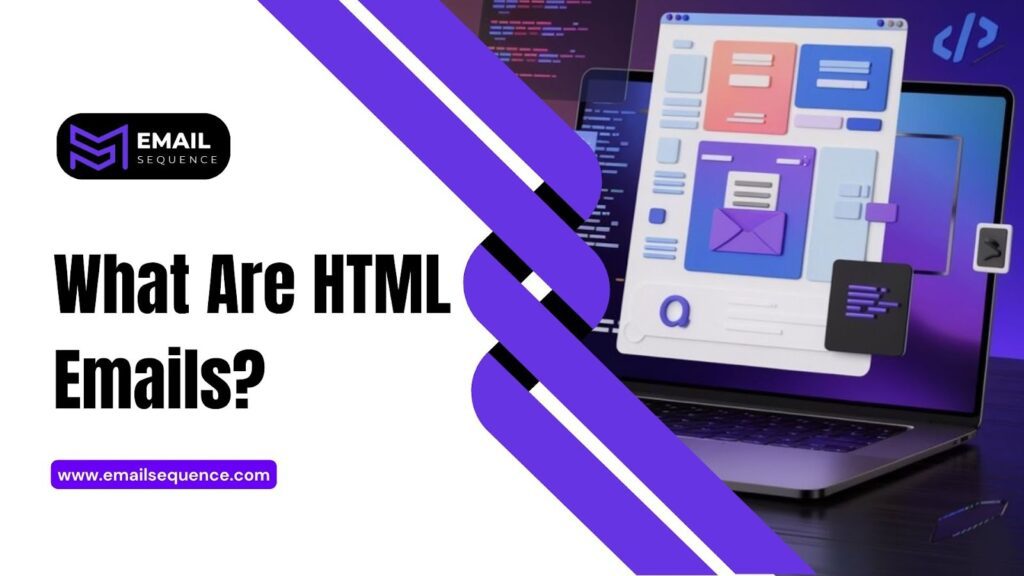
Marketers use visual hierarchy in HTML emails to prioritize information and drive action through design.
- Brand Consistency: You can use exact brand colors, logos, and fonts to maintain professional identity.
- Rich Media: Support for images, GIFs, and sometimes video thumbnails helps illustrate products or concepts.
- Tracking Capabilities: HTML allows for more granular tracking of user interaction, such as heatmaps of where users clicked.
- Visual Structure: You can organize complex information into columns, sidebars, and distinct sections.
Multipart Messages: Why Both Formats Can Coexist
You do not always have to choose one format exclusively over the other, thanks to multipart messages. This protocol allows an email server to bundle both a plain text version and an HTML version of the same email into a single message file.
The receiving email client then decides which version to display based on the user’s settings and device capabilities.
- Automatic Fallback: If an email client cannot render HTML, it automatically displays the plain text version.
- Spam Filter Preference: Spam filters often view messages with a multipart alternative as more legitimate than HTML-only emails.
- Accessibility: Screen readers for the visually impaired often navigate plain text versions more effectively.
- User Choice: Some users explicitly set their email clients to only receive text, and multipart ensures they still get your message.
Performance Metrics: Plain Text vs HTML
To determine the winner in the battle of plain-text emails versus HTML, we must look at specific performance metrics. Different formats tend to excel in different areas of the funnel, from the initial open to the final conversion.
Open Rates
Plain text emails frequently see higher open rates compared to their HTML counterparts. This phenomenon often occurs because heavily coded emails are more likely to land in the “Promotions” tab of Gmail or get flagged by aggressive spam filters.
A simple text format signals a personal conversation rather than a mass broadcast.
- Inmox Placement: Text emails land in the primary inbox more often than the promotions tab.
- Preview Text: The snippet shown in the inbox is often clearer without image alt-text code interfering.
- Trust Factor: Recipients are more likely to open an email that appears to be from a human rather than a bot.
Click-Through Rates (CTR)
While text gets opened, HTML often wins when it comes to Click-Through Rates (CTR) in e-commerce contexts. The use of distinct, colorful buttons and product images creates a compelling visual cue that is hard to ignore.
However, in B2B settings, inline text links in a plain email can sometimes outperform flashy buttons.
- Button Visibility: A bright “Buy Now” button is easier to tap on a mobile screen than a text link.
- Product Appeal: Seeing the product significantly increases the desire to click for retail items.
- CTA Placement: HTML allows for strategic placement of calls to action (CTAs) above the fold.
Deliverability & Spam Filters
Deliverability is arguably the most critical metric, as an unopened email has zero value. Complex HTML code can sometimes trigger spam filters, especially if the code is messy or the image-to-text ratio is too high.
Plain text emails are the safest bet for ensuring your message actually reaches the recipient’s server.
- Code Bloat: Excessive HTML code can cause emails to clip in Gmail or trigger spam warnings.
- Image Blocking: Many email clients block images by default, making image-heavy HTML emails look broken.
- Filter Sensitivity: Spam filters are trained to recognize patterns common in commercial HTML blasts.
Reader Engagement & Perception
Engagement goes beyond clicks; it encompasses how the reader feels about the sender. Text-based emails tend to foster a sense of connection and authenticity, making them ideal for building relationships.
Conversely, a polished HTML email establishes brand authority and professionalism.
- Authenticity: Text emails feel like a conversation, increasing the likelihood of a direct reply.
- Readability: Simple text is often easier to read without the distraction of sidebars and banners.
- Brand Perception: High-end brands may need HTML to convey a premium aesthetic.
When to Use Plain Text Emails
There are specific scenarios where plain text is the superior choice. If your primary goal is to initiate a dialogue or ensure maximum deliverability for critical information, simple text is your best ally.
Marketers and sales teams often rely on this format for high-stakes communication.
- Cold Outreach: When contacting a prospect for the first time, text feels less intrusive and more personal.
- Transactional Messages: Order confirmations, password resets, and shipping notifications need to be functional and fast.
- Re-engagement Campaigns: A simple “Are you still interested?” email often works better than a flashy “We miss you” banner.
- Consulting and B2B Sales: Professional services rely on relationships, which are best built through conversation, not graphics.
When to Use HTML Emails
HTML emails are essential when visual appeal and branding are major components of your value proposition. If you are selling physical products or need to convey excitement and visual interest, HTML is the standard email format.
Visual storytelling is difficult to achieve without the layout capabilities of HTML.
- Newsletters: Curated content often requires columns and image thumbnails to be digestible.
- Product Launches: Showcasing a new product requires high-quality images to drive desire.
- Seasonal Promotions: Holiday sales benefit from festive designs and colorful themes.
- Event Invitations: Visual flyers within an email help set the tone for the event.
Best Practices for Email Format Selection
Choosing the right format is not a binary decision; it requires a strategic approach. You must align your format choice with your campaign objectives and the expectations of your audience.
Keep Your Goal in Mind
Before writing a single line of code or copy, define the primary objective of the email. If the goal is a direct reply, plain text emails are likely better; if the goal is a purchase, HTML might be the winner.
- Conversion: Use HTML for “Shop Now” objectives.
- Relationship Building: Use plain text for “Reply to this email” objectives.
- Information Sharing: Use plain text for critical updates to ensure they are read.
Simplicity vs Rich Experience
There is a balance to be struck between a clean, readable email and an immersive brand experience. Sometimes, a “hybrid” approach, a mostly text email with a simple HTML header, offers the best of both worlds.
- Mobile First: Ensure whatever format you choose is easily readable on a smartphone.
- Load Time: Keep HTML emails lightweight to ensure they load quickly on data connections.
- Visual Noise: Avoid cluttering the email with too many competing elements.
Use Personalization in Plain Text
Since plain text emails are designed to feel personal, you should lean into personalization tactics. Use the recipient’s name and write in the first person to enhance the one-to-one feeling.
- Merge Tags: Use the recipient’s first name in the opening line.
- Sign-offs: Use a real person’s name and job title in the signature, not just the company name.
- Conversational Tone: Write as if you are speaking to a single person, not a mailing list.
Design Principles for HTML
If you choose HTML, you must adhere to solid design principles to avoid overwhelming the reader. Visual hierarchy is crucial for guiding the reader toward the most important action you want them to take.
- Clear CTA: Make your primary call to action the most visually distinct element.
- White Space: Use ample padding and margins to make the content breathable.
- Alt Text: Always include descriptive alt text for images in case they do not load.
A/B Testing Email Format: How to Compare Them
The only way to know for sure which format works for your specific audience is to conduct an A/B test. By sending a plain-text email to half your list and an HTML version to the other half, you can gather concrete data.
A split test removes the guesswork and provides actionable insights for future campaigns.
- Keep It Consistent: Use the same copy and subject line for both emails. The only thing you should change is the design (plain text vs. HTML).
- Check Your Numbers: Make sure you send the emails to enough people to get meaningful results.
- Choose Your Goal: Decide what success looks like. Is it more opens, clicks, or replies?
- Send at the Same Time: Send both versions simultaneously so the time of day doesn’t affect your results.
Avoid These Costly Mistakes
Even with the best intentions, marketers often make mistakes when implementing either email format. Avoiding these common errors ensures that your message lands in the inbox and resonates with the reader.
- Broken Rendering: Not testing HTML emails across different clients (Outlook vs. Gmail) can lead to broken layouts.
- Wall of Text: Sending a plain text email that is one giant paragraph will discourage reading.
- Missing Link: Forgetting to hyperlink the text CTA in a plain-text email is a missed opportunity.
- Image-Only Emails: Sending an HTML email that is just one large image is a major spam trigger and accessibility nightmare.
- Ignoring Mobile: Designing for desktop only ignores the majority of users who check email on their phones.
Conclusion
The debate between plain text emails and HTML designs does not have a single winner; the right choice depends on your specific objectives. Text-based emails excel at building relationships, ensuring deliverability, and fostering a sense of personal connection. On the other hand, HTML email design is superior for showcasing products, maintaining brand consistency, and driving click-throughs via strong visual hierarchy.
To truly optimize your strategy, you should leverage multipart messages to ensure accessibility and deliverability regardless of the design you choose. Ultimately, the best approach is to test both formats.
Ready to craft emails that convert, no matter the format? Visit EmailSequence to start building persuasive campaigns that resonate with your audience and boost your bottom line.
Frequently Asked Questions
What are plain text emails?
Plain text emails are messages that contain only text without any formatting, images, or HTML code. They are simple, load instantly, and look like a personal letter.
Do plain text emails perform better?
They often perform better for open rates and deliverability because they are less likely to be marked as spam. However, HTML emails typically perform better for e-commerce click-through rates.
Are HTML emails better for promotions?
Generally, yes. HTML emails allow you to showcase products visually, which is crucial for promotional campaigns where the goal is to drive immediate sales.
What is a multipart email format?
Multipart messages include both a plain text version and an HTML version in the same email file. The recipient’s email client chooses which version to display.
How does format affect deliverability?
Complex HTML code can trigger spam filters, lowering deliverability. Plain text emails have a higher chance of landing in the primary inbox because they contain no suspicious code.
