
Seasonal Email Automation: How to Plan Converting Campaigns
We’ve all received those generic marketing emails. The ones that land in your inbox on a random Tuesday with an offer that feels completely disconnected from your current reality.
Compare that to opening an email that anticipates your needs perfectly, like a back-to-school checklist in August or a cozy winter recipe just as the temperature drops. That feeling of relevance is why timing is everything in email marketing.
Emails sent at the right time consistently outperform generic campaigns because they tap into what is already on your customer’s mind. But trying to execute this manually is a recipe for burnout. Scrambling to build campaigns days before a holiday often leads to mistakes, missed opportunities, and generic messaging.
This is where seasonal email automation becomes your secret weapon. It allows you to move away from reactive panic and towards a proactive strategy where execution and automation logic work together seamlessly.
What Is Seasonal Email Automation?
At its core, seasonal email automation is the practice of setting up triggered email workflows that automatically deploy based on specific times of the year, holidays, or recurring events. Unlike one-off seasonal blasts that you build and send manually, it runs in the background, adapting messaging based on the calendar, customer behavior, and specific events.
It isn’t just about wishing someone a “Happy Holidays.” It’s about building logic that recognizes key moments relevant to your audience. This could look like:
- Holidays: Automated Black Friday sequences or Mother’s Day gift guides.
- Sales Seasons: End-of-financial-year sales or summer clearance events.
- Industry Events: Automated reminders for annual conferences or tax filing deadlines.
By leveraging email automation, you ensure your brand shows up when it matters most, without the manual legwork.
Why Seasonal Email Automation Outperforms Manual Campaigns
Many marketers stick to manual campaigns because they feel “safer” having hands-on control. However, they miss the deeper benefits of automation. Seasonal email automation consistently outperforms manual efforts because it removes human error from the equation. When you aren’t rushing to hit “send” on December 23rd, you avoid broken links and typos.
Beyond reducing errors, here is why automation outperforms manual campaigns during peak seasons:
- Proactive Strategy Over Reactive Execution: Prepare your campaigns months in advance so you can focus on high-level strategy rather than last-minute execution during your busiest periods.
- Precision Timing for Higher Engagement: Automation ensures your message lands exactly when a user is most likely to convert, providing a level of relevance that manual sends can’t achieve.
- Effortless Scalability: Manage global campaigns with ease. Whether it’s summer in the North or winter in the South, your system handles the regional complexity automatically.
- Consistent Optimization: Continuous automated delivery maintains high engagement and boosts deliverability, ensuring your brand stays top-of-mind and maximizes conversions.
Types of Seasonal Email Campaigns You Can Automate
To get the most out of seasonal email automation, you need to look beyond just Christmas and Black Friday. Here are three high-value categories you can automate.
Holiday Campaigns
Automated holiday email sequences are a powerful way to engage your audience and boost sales during key festive periods. These sequences help you create excitement, deliver timely offers, and follow up effectively. Here’s how to structure them:
- Pre-Holiday Warm-Up: Send teaser emails to build anticipation and generate excitement around your upcoming holiday offers.
- Main Holiday Offer: Deliver your primary promotion during the holiday to drive conversions when interest is at its peak.
- Post-Holiday Follow-Up: Send follow-up emails to thank customers, share related offers, or encourage feedback after the holiday ends.
- Early Access for VIPs: Reward loyal customers with exclusive early access to deals before the holiday rush begins.
- Last-Chance Reminders: Target procrastinators with urgent reminders as the holiday or promotion period comes to a close.
Event-Based Email Campaigns
These are tied to specific happenings rather than calendar dates. Think about product launches, major industry events (like a fashion week or a tech expo), or seasonal promotions tied to local festivals.
- Product Launches: Build anticipation and drive initial sales.
- Industry Events: Engage attendees at a tech expo or fashion week.
- Local Festivals: Run promotions tied to community gatherings.
Business & Industry Seasons
Every industry ebbs and flows with its own unique “seasons.” These are predictable business cycles that influence purchasing decisions and customer behavior.
- SaaS: Align campaigns with the end of the fiscal year or quarterly billing cycles.
- Retail: Capitalize on peak shopping periods like Black Friday or back-to-school.
- B2B: Target companies during budget planning season, often in Q4.
Seasonal Messaging Strategy (What to Say and When)
Successful email automation relies on understanding how customer intent shifts throughout the year. Your messaging strategy needs to align tone, urgency, and offers with the specific season.
For instance, the psychology behind a summer sale is different from a holiday gift guide. In summer, the tone might be breezy and fun, focusing on “treating yourself.” During the holidays, the emotional angle shifts to generosity, nostalgia, and the stress of finding the perfect gift.
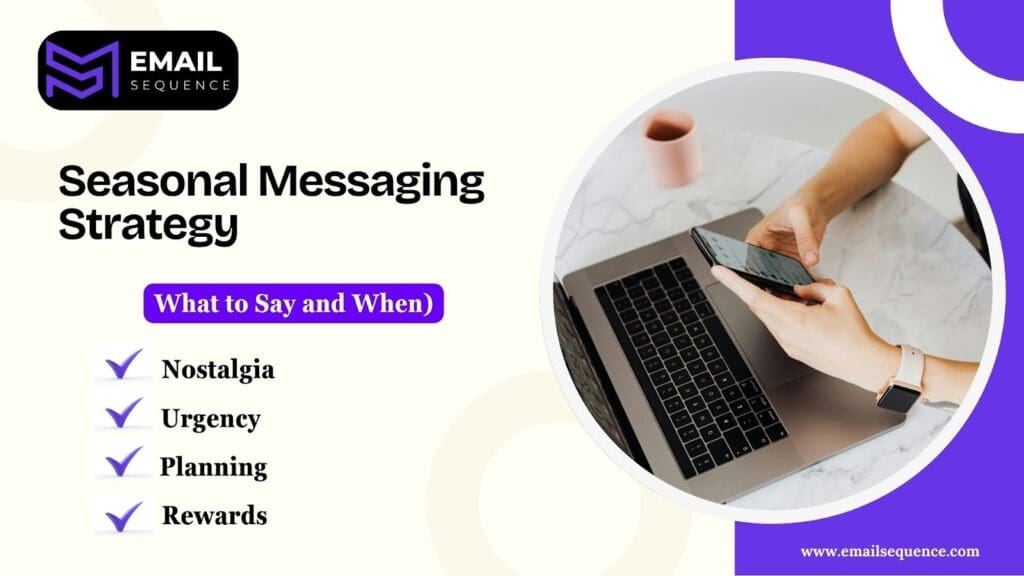
To avoid being repetitive or generic, use specific seasonal angles:
- Urgency: “Order by Dec 15th for guaranteed delivery.”
- Nostalgia: “Remember the best summer of your childhood?”
- Planning: “Get your 2025 strategy ready before January hits.”
- Rewards: “Use your loyalty points before they expire this year.”
Building Timely Sequences for Seasonal Campaigns
A truly effective email automation strategy requires more than just a single email; it requires a timely sequence. This sequence guides the subscriber from awareness to action.
A typical structure for these automated flows includes:
- Warm-up email: Teases what is coming and builds value without asking for a sale yet.
- Value-driven reminder: Offers helpful content related to the season (e.g., a gift guide or a checklist).
- Urgency or deadline email: The core offer with a clear deadline to drive action.
- Follow-up or post-season email: A “thank you” or a request for feedback after the season ends.
You can enhance this by using behavioral triggers and engagement-based branching. If a user clicks the “Warm-up” email, they might get a different, more direct offer in the next email compared to someone who didn’t open it.
Calendar Automation: Planning the Entire Year in Advance
One of the biggest gaps in competitor strategies is the lack of holistic planning. Calendar automation involves mapping your email automation strategy across a full 12-month cycle.
By visualizing the entire year, you can spot potential overlaps and prevent email fatigue by not emailing your audience too frequently. This holistic view also lets you balance major promotional pushes with quieter, value-first periods to build customer relationships.
When planning your calendar automation, it’s helpful to:
- Set monthly and quarterly goals: Break down your annual strategy into smaller, manageable targets. For example, a monthly goal might be to promote a specific product, while a quarterly goal could be to increase overall engagement by 15%.
- Create regional calendars: If you have a global audience, tailor your campaigns to local seasons and holidays. You don’t want to send a “Summer Blowout” email to your Australian customers in July!
- Balance promotions with value: Use the calendar to schedule a mix of content. Alternate between sales-heavy emails and value-driven content like blog posts, tips, or customer stories to keep your audience engaged.
- Identify campaign overlaps: A visual calendar helps you see where campaigns might clash. For instance, you can ensure your “Back to School” promotion doesn’t run at the same time as a “Labor Day Sale” to avoid overwhelming subscribers.
How to Set Up Seasonal Email Automation: Step-by-Step Process
Setting up automated email campaigns for specific seasons or holidays can save you time and drive significant revenue. By preparing your campaigns in advance, you can engage customers at just the right moment without last-minute scrambling. Here’s a step-by-step guide to getting started.
Identify Key Seasonal Moments:
Start by mapping out your year. Look at your sales data to pinpoint when your busiest times are. Beyond major holidays like Black Friday or Christmas, consider industry-specific events, regional celebrations, or even fun, unofficial holidays that resonate with your brand. Planning these out helps you create a clear roadmap for your campaigns.
Segment Your Audience:
Don’t send the same email to everyone. A personalized message is far more effective. Group your subscribers based on their location, past purchases, or how they’ve interacted with your emails before.
For example, you could create a segment for customers who bought winter coats last year and send them an early-bird offer for your new winter collection.
Create Reusable Seasonal Templates:
Save time by designing a few master templates. These should be flexible enough that you can easily swap out images, text, and offers for different holidays. Having a consistent, on-brand look will make your emails instantly recognizable, while the fresh content keeps them relevant each year.
Set Up Your Triggers:
This is where the “automation” part comes in. Use your email marketing tool to schedule campaigns to launch on specific dates (like the first day of summer) or in response to user actions (like abandoning a cart with seasonal items). This ensures your emails are sent at the most impactful moment without you having to press “send” every time.
Build Your Automation Logic:
Think through the entire customer journey. Use delays, conditions, and exit rules to create a smart, responsive campaign. For instance, if a customer purchases the first email, you should automatically remove them from the rest of the promotional sequence so they don’t get unnecessary reminders.
Test, Test, and Test Again:
Before the busy season kicks off, do a thorough test of your entire automation workflow. Check for broken links, typos, and make sure the logic works as expected. Catching any issues early will prevent major headaches and lost sales during a high-pressure sales period.
Best Practices for High-Performing Seasonal Automation
Building an automation is one thing, but making it convert during the high-stakes holiday rush is another. You need a strategy that works while you sleep, ensuring no lead falls through the cracks. To help you maximize your results and save your sanity, we have put together the essential rules for success.
Follow these best practices to ensure your email automation. delivers maximum ROI:
- Start early: Don’t wait until the week before a major holiday to build your workflows. Give yourself at least a 30-day lead time for testing and optimization.
- Use “human-like” timing: Configure automation delays to align with local time zones. Sending a promotional blast at 3:00 AM rarely converts and can flag spam filters.
- Refresh content annually: Even “evergreen” seasonal flows need updates. Last year’s “2023 Trends” or expired coupon codes will immediately erode subscriber trust.
- Implement dynamic content blocks: Use liquid logic to swap out products based on a user’s local weather or past purchase categories within the same seasonal email.
- Monitor engagement frequency: If open rates dip, your seasonal cadence might be too aggressive. Use “Smart Sending” features to ensure you aren’t over-saturating your list during peak periods.
Final Thoughts
Seasonal email automation is the key to mastering relevance and timing in your marketing. By replacing manual, last-minute campaigns with a strategic, automated approach, your brand can consistently connect with customers when they are most likely to engage.
Different business models can leverage seasonality, from e-commerce brands capitalizing on holiday trends to SaaS companies aligning with fiscal year-end budgets. A well-planned automation calendar transforms seasonal changes into predictable, scalable growth opportunities, maximizing long-term ROI without expanding your team.
Start building your automation logic today and turn the calendar into your biggest competitive advantage. If you need some inspiration on how to begin, our team is here to help guide you through the process.
Frequently Asked Question
What is seasonal email automation?
Seasonal email automation involves setting up pre-planned email sequences that trigger automatically based on holidays, seasons, or specific calendar events, ensuring timely and relevant communication without manual effort.
How far in advance should seasonal campaigns be automated?
Ideally, you should plan and build your seasonal email automation at least 1-3 months in advance. This allows ample time for testing, creative refinement, and segmentation setup before the busy season hits.
Can seasonal automation work for B2B emails?
Absolutely. B2B companies can use email automation to target fiscal year-end budget spending, industry conference seasons, or quarterly business planning periods.
What’s the difference between event-based and calendar-based automation?
Calendar-based automation triggers on specific dates (e.g., December 25th), whereas event-based automation triggers are based on user actions or specific milestones (e.g., a user signing up for a webinar or a product launch date).
How do I avoid email fatigue during holidays?
To avoid fatigue, use strict segmentation to ensure relevance, monitor engagement to suppress inactive users, and use frequency caps within your automation tool to prevent users from receiving too many emails in a short period.
